



What Is Unit Testing? Definition, Examples & Best Practices

Fixing defects gets more expensive as development progresses. Some start as small logic errors but lead to bigger issues. Fortunately, unit tests can catch these errors during development.
This guide is for QA engineers, those transitioning from QA to automation, and QA leads.
It includes the definition of a unit test, an example of writing a unit test in Python, frameworks for unit testing, unit testing versus integration testing, best practices for unit testing and how unit testing results fit in your QA process.
What Is a Unit Test?
Unit Testing is a software testing technique used to verify individual units of source code, such as methods, functions, or classes, in isolation. It ensures that each unit behaves as expected according to its requirements. – GeeksforGeeks
A unit test focuses on one small part of the application. Developers can run it while working on the code, which makes it easier to catch mistakes before they affect other parts of the system
A banking application, for example, uses unit tests to check interest calculations, loan eligibility rules and transaction validation logic.
The scope of a unit test depends on the code. A failure should make the cause easy to identify.
There are four characteristics of a good unit test:
- Small: It monitors one behaviour.
- Fast: It takes a couple of milliseconds, allowing thousands to be run on each commit.
- Isolated: It is not dependent on other tests, databases or external services.
- Repeatable: Produces the same output each time it is executed.
Developers usually write unit tests, but QA engineers can also review them.
A unit test that indicates what the developer thinks the code should accomplish is helpful as input for designing test cases for layers above.
Imagine a car manufacturing plant. Each component is tested on a bench before being put in an engine. Unit testing does the same for software.
Why Unit Testing Matters
The benefits of unit testing all follow from one fact. Each test covers a small, isolated piece of code, so a failure has one obvious cause.
| Benefit | Why It Follows From Small, Isolated Tests |
| Earlier defect detection | A developer runs the test seconds after writing the code, when the fix is cheapest. |
| Safer refactoring | A passing suite indicates that the behavior did not change after a change in code. |
| Fewer regressions | Existing tests can catch bugs that return after code changes. |
| Faster feedback in CI/CD | A broken build is identified in a matter of minutes as long-running tests are carried out on each commit. |
| Living documentation | A test name and its assertions describe what the code should do, and they stay current because the build fails when they drift. |
| Fewer defects reaching QA and production | The logic errors are caught at the unit level, while the testers can focus on the integration and the user flows. |
Failed unit tests help developers and QA identify specific issues.
How a Unit Test Works
A unit test checks whether a function returns the expected result.
The Arrange-Act-Assert Pattern
The Arrange-Act-Assert (AAA) pattern gives each test three steps:
- Arrange: Set up the inputs and any objects the unit needs.
- Act: Call the function or method under test.
- Assert: Compare the actual result with the expected result.
Keeping the steps visible makes a test easy to read and easy to debug.
A Simple Unit Test Example
This Python unit test example uses pytest and a discount calculator. One test passes and one fails.

The first test passes because 200 minus 10% is 180.
The second test fails because the function returns -50 and raises no error. The failure shows a missing rule.
The fix is a check that raises a ValueError when the percent is above 100. This is how a unit test finds a defect before any tester sees it.
Mocks and Stubs
A unit test must stay isolated, so dependencies such as databases and APIs are replaced with test doubles.
- Stub: Returns a fixed answer.
- Mock: Records how it was called, so the test can verify the interaction.
Both let the unit run without the real service.
Unit Testing Techniques
Developers usually automate unit tests so they can run them again whenever the code changes. It’s possible to test individual functions manually, but that quickly becomes impractical as the codebase grows.
White Box Testing and Code Coverage
The unit tests are white box tests. The writer reads the code and writes tests that utilize the internal paths of the code.
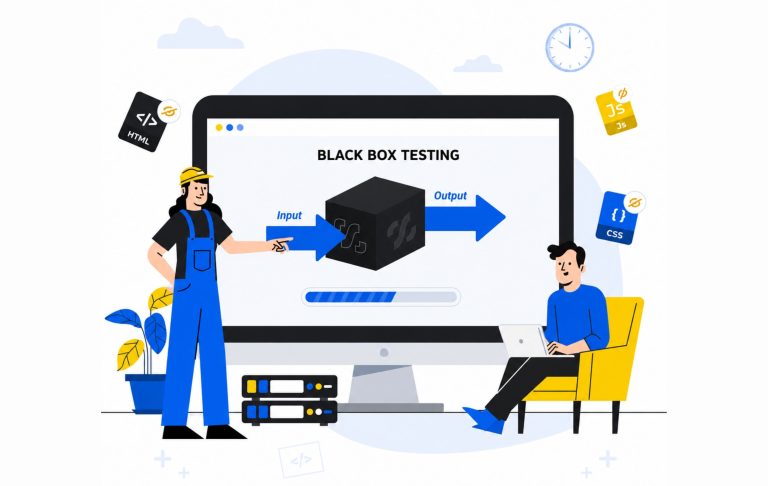
That’s a contrast to black box testing, in which the tester tests without looking at the code. That’s what our article on black box testing addresses.
There are two types of coverage measures that indicate the proportion of code that is executed by the tests:
- Statement coverage: Percentage of code lines that are executed during tests.
- Test coverage: Percentage of branches that are executed in the tests.
Test-Driven Development (TDD)
Test-driven development (TDD) reverses the usual order. The cycle is often called red, green, refactor:
- Red: Write a failing test first.
- Green: Write the minimum code to pass it.
- Refactor: Clean up the code while the tests keep passing.
Popular Unit Testing Frameworks and Tools
A unit testing framework supplies the test runner and the assertions. Most teams add a mocking library and a coverage tool next to it.
| Language | Unit Testing Frameworks | Mocking and Coverage Tools |
| Java | JUnit, TestNG | Mockito, JaCoCo |
| .NET | NUnit, xUnit | Moq, Coverlet |
| Python | pytest, unittest | unittest.mock, coverage.py |
| JavaScript | Jest, Mocha | Jest mocks, Sinon, Istanbul |
Pick a framework that aligns with your programming language and your team’s existing ecosystem.
For example, a Python team may find pytest easier to adopt, especially if it already fits into their CI setup.
Unit Testing vs Integration Testing vs System Testing
Each testing level checks a different part of the application.
| Test Type | Scope | Speed | Typically Written By |
| Unit test | One function or method | Very fast | Developers |
| Integration test | Interaction between components | Moderate | Developers and QA |
| System test | Whole application | Slower | QA |
The three levels build on each other:
- Unit tests prove that each part works on its own.
- Integration tests prove that the parts work together, for example, that a service reads from the database correctly.
- System tests prove that the finished product meets its requirements.
Passing the unit test does not necessarily imply passing the integration test. Even two correct units can still fail when exchanging data in different formats.
That is why unit testing and integration testing are a matter of level of coverage and thus require both.
The Test Pyramid
The test pyramid indicates the number of tests to write at each level. It was introduced by Mike Cohn in his book Succeeding with Agile.
- Base: Many fast unit tests.
- Middle: Fewer integration tests.
- Top: A small number of slower system tests.
The shape keeps the suite fast and the feedback quick.
Unit Testing Best Practices
- Test One Behavior Per Test: Limit each test to a single behavior. If failure happens, then it’s an issue of one thing.
- Keep tests independent: Each test should run on its own.
- Name the test accordingly: test_rejects_percent_over_100 means that the test rejects percent over 100.
- Isolate Dependencies: Mock/Stub external services or databases.
- Test Every Commit: Ensure that the suite is part of the CI/CD process, and any change that breaks it is detected within minutes.
- Focus on Meaningful Coverage: Start with the code that carries the most risk. A high coverage percentage means little if the tests aren’t checking whether the results are correct. `
- Maintain your tests as carefully as your application code: When a feature changes, its tests should reflect the new behavior. Old tests that serve no purpose should be removed.
Common Unit Testing Mistakes and Limitations
Unit tests have a defined scope, and teams run into trouble when they expect more from them.
- Limited scope: Unit tests check individual components, so they generally won’t catch problems that only appear when services communicate or when someone uses the complete application.
- High coverage without good tests: A line can run during a test without any assertion checking its result.
- Slow or flaky tests: external dependencies can cause inconsistent test results.
- Test implementation details: Tests tied to internal code structure may break during refactoring. Test behavior instead.
Where Unit Tests Fit in Your QA Process
The first layer of a QA process is unit tests. They are used by the developers to test that each function works independently. QA then adds integration, system and acceptance testing to this.
Every layer has its own owner and is used for a specific purpose:
- Unit tests: Individual functions and methods are confirmed to act as written in unit tests.
- Integration tests: Developers and QA ensure that components exchange data correctly.
- System and acceptance tests: QA ensures the finished product is correct.
- Exploratory and manual tests: QA covers usability and edge cases that scripted tests usually miss.
The results of the unit tests help QA in three ways:
- Test design: Unit tests demonstrate the developer’s expectations of each function. QA engineers can focus on integration and user flows, skipping checks that are already covered.
- Risk assessment: If a module has thin or failing unit tests, it should be addressed more in later stages of the process.
- Release decisions: QA leads read unit test pass rates and coverage next to other results to judge whether a build is ready.
Typically, the results of the unit tests remain within the CI tool and QA may not have access to them.
Teams close this gap by bringing the results into their test management tool.
Kualitee does this with integrations for CI/CD with Jenkins, GitHub and GitLab. It displays automated test results next to manual test results and provides traceability to requirements.
Kualitee does not run unit tests. Developers continue to run them in their own framework.
See how Kualitee connects with your CI/CD pipeline and centralizes your test results.
Frequently Asked Questions
What Is a Unit Test?
Who Writes Unit Tests?
Is Unit Testing White Box or Black Box Testing?
What Is the Difference Between a Unit Test and an Integration Test?
What Is a Good Code Coverage Percentage?