Startups live on speed. New features, demos for investors, proof-of-concept pilots, customer requests – everything points in one direction: release more, release faster.
At the same time, every release is a risk. A broken signup form, a bug in checkout, or a slow dashboard can undo weeks of good work. Users drop off. Support tickets grow. The team loses confidence in shipping.
AI QA for startups is about breaking that trade-off. The goal is to keep your release pace high while making quality less fragile. Instead of asking people to work late, you let automated and AI-assisted testing run in the background. You still decide what matters.
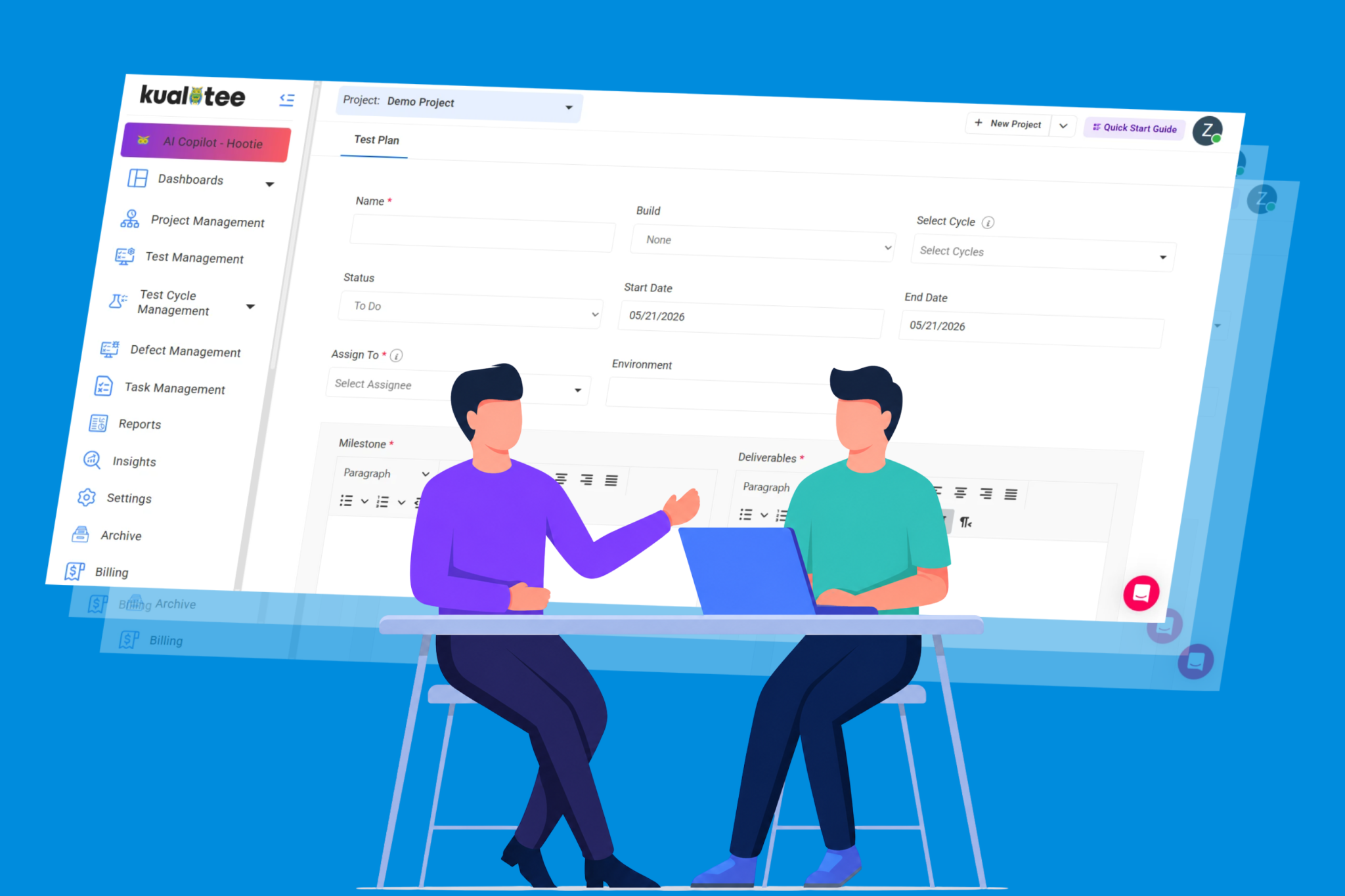
A modern test management tool gives you one place to manage test cases, runs, and defects. Once you add AI on top, you start to see real gains: smarter test selection, faster test creation, and fewer flaky failures. Our QA test management tool overview shows how this works in day‑to‑day testing.
The “Speed” Realities: Where AI Shaves Days Off Your Sprint
Speed appears simple initially: simply ship out more products on a regular basis. As a matter of fact, testing is the most critical issue most of the time. Development finishes the feature. Then everything slows down while the team tries to make sure nothing obvious is broken.
AI-backed QA does not remove that testing step. It makes it lighter, faster, and more focused. There are two areas where this impact is most visible.
Impact Analysis: Running Only the Tests That Matter
As your product grows, your test suite grows with it. At some point, running every test on every change stops being possible. It takes too much time and computing. So teams begin to cut corners: they run only a small set of tests, or they run full regression less often. That is when regressions slip in.
Impact analysis changes this pattern. Instead of running all tests every time, your test platform looks at a code change and works out which parts of the product it touches. Then it runs only the tests that cover those areas.
A simple example makes this clear. A pull request changes the logic inside invoicing. With impact analysis in place, the system knows that:
- Invoice generation tests are relevant.
- Subscription renewal tests are relevant.
- Login and profile tests are not.
So the pipeline runs the first two groups and skips the rest. The feedback stays useful, but the total execution time drops sharply.
For a startup, that means developers see results in minutes instead of hours. CI pipelines stay lean. You can afford to run checks on every feature branch, not just before a release. Over a full sprint, this can easily save days of waiting time.
This kind of focused testing works best when your test cases, user stories, and code are all tied together. With a structured setup like the one we outline in our QA workflow integration guide, it’s much easier to build those links so impact analysis has strong data to work with.
Self-Healing Scripts: Fixing the Flaky Test Problem
UI automation is famous for one thing: being flaky. A designer renames a button, moves a field, or adds a new banner, and half your tests fail even though the feature still works. After a while, the team stops trusting the results.
Self-healing tests tackle this head-on. Instead of relying on a single brittle locator, the system looks at many clues to find the right element: label text, position, surrounding elements, and patterns from past runs. When the locator changes, the test engine can often adapt on its own.
The effect is simple but powerful:
- Fewer red builds caused by harmless UI tweaks.
- Less time spent debugging why a test cannot “find” a button.
- More attention on real failures that users might see.
In a startup where the UI changes every sprint, this stability is a big deal. You are able to continue modifying the product design every week without testing it to failure. It becomes less difficult to perform UI tests in your normal CI rather than having them as a fragile enabler.
Self-healing also cuts maintenance costs. Instead of rewriting locators by hand, your team can focus on new coverage and better scenarios. Over a few months, this saves many hours of repetitive work.
The Myth of Total Autonomy for Startups
A lot of marketing around AI QA sounds like this: “Just plug it in, and the tests will write and maintain themselves.” For real teams, especially small ones, that is not how it works.
AI is very good at handling patterns. It can spot repeated flows, suggest test data, guess selectors, and prioritize areas based on past failures. But it does not understand your business the way you do. It does not know which paths truly matter to your users, which edge cases are acceptable, or when a small-looking bug is actually a critical risk.
For that reason, total autonomy is a myth – and a dangerous one for startups to believe. A group test with AI help is the best option.
In reality, this has the effect as follows:
- Your team selects the paths that the users are to follow, the success, and the risks.
- AI helps turn that knowledge into test cases faster.
- Your platform handles execution, selection, and reporting.
- People review results, make decisions, and refine coverage.
You are not trying to remove humans from QA. You are trying to remove repetitive work from their plate so they can focus on product understanding. A structured test space helps you keep this balance. When you manage your cases, runs, and defects in one place, you can let automation handle the mechanics and keep human judgment on top.
Low‑Code/No‑Code: Empowering Non‑QA Teams
In many startups, there is no full‑time tester. Developers ship features, the product manager checks key screens, and sometimes the founder does a last sanity pass. It is effective in the short term, but not in the long term.
Low-code and no-code testing also allow these individuals to create and maintain tests without necessarily turning into automation engineers. Instead of writing long scripts, they work with simple steps, visual flows, and natural language. AI then helps turn those inputs into real checks that run in your pipelines.
Turning Knowledge into People’s Heads Into Tests
The people who know your product best are often not the ones who write code. Product managers, customer success, and sometimes even sales teams understand which flows matter most to users. The problem is that their knowledge rarely makes it into repeatable tests.
With low‑code tools, you can:
- Describe a flow in plain language.
- Click through the app once while the tool records your steps.
- Add a few rules for what “success” looks like on each screen.
From there, the platform can suggest more cases and data to try. With time, you develop a set of tests that is based on actual workflows rather than guesses. Since the tests are contained within a transparent framework, they are usable in new releases and can be traced to user stories and displayed in reports as any other run.
Letting Developers Focus on Code, Not Plumbing
Low‑code and no‑code testing are also good news for developers. Instead of spending days wiring up Selenium projects, they can:
- Reuse tests built by product or QA.
- Plug those tests into CI with a few configuration steps.
- Get clear pass/fail feedback tied back to issues.
This works best when testing is connected to the tools your team already uses every day. When test runs sync with your repositories through our GitHub integration, developers see results right next to their pull requests and can react without leaving their usual workflow.
The workload also becomes more balanced. Non‑technical team members can help shape coverage, while developers add tests where they see risk and hook them into the pipeline. No one has to turn into a full‑time automation specialist for the whole team to benefit from a stronger, more automated QA process.
Calculating ROI: When Should a Startup Invest?
Every new tool or process has a cost. Licenses, setup time, training, and habit changes all add up. For a startup, those costs are felt more strongly because teams are small and budgets are tight.
That is why it helps to think about AI‑assisted QA as a 6–12 month investment, not a one‑week experiment. The early weeks are about setup and learning. The real return appears as coverage grows and manual work drops.
The First 3 Months: Laying the Groundwork
Most of the value is attained in the first quarter by the process of getting organized. You have all the test cases in a central repository, all connected to your backlog, and all the test runs connected to your CI/CD process.
The advantages in this stage are:
- It is easy to tell what is under test.
- Fewer surprises at the end of a sprint.
- A shared language around quality across the team.
You will still be running a mix of manual and automated checks. Some AI features, like automatic test suggestions or impact‑based selection, will start to help. But they are working on top of a small base of tests, so the effect is modest.
Months 4–6: Scaling Coverage Without Scaling Headcount
The picture changes once you have a few months of tests, runs, and defects in your system. At this point, AI has something real to work with. It can see patterns of failures, spot gaps in coverage, and suggest smart test sets for each change.
This is when you usually see:
- Shorter regression cycles.
- More issues are caught in staging or CI instead of in production.
- Less time spent maintaining old scripts, thanks to self‑healing.
If you compare the hours spent manually testing before and after, the difference is often clear by month six. You are likely doing more checks, but with fewer people and less stress. That is a strong sign that the investment is starting to pay back.
Connecting these results to your day‑to‑day work is much easier when QA is part of the same toolchain your team already uses. Our guide to QA workflow integration walks through how this looks with real‑world tools and pipelines.
Months 7–12: Turning Quality Into a Strength
Beyond the half‑year mark, the benefits become part of how you run the product, not just an add‑on. Teams that stay consistent usually see:
- Fewer repeated bugs in the same areas.
- Clearer decisions about when a release is ready.
- A calmer pace around releases, even as they become more frequent.
At this stage, AI is doing more of the heavy lifting in the background: helping with test selection, maintaining locators, and surfacing risky areas. The team still guides priorities, but they are no longer fighting against the clock on every release.
From a business view, this is where AI QA for startups moves from “nice to have” to “part of how we protect revenue and reputation.” The quicker, cleaner releases are the happier the users and less nasty surprises in production.
The Future: Predictive Testing for Rapid Scaling
Most of the advantages that we discussed so far are in existence code. As you edit something, the system will determine what should be tested and provide feedback.
Predictive testing is the next step, which involves the use of past data to forecast where the additional bugs may appear, even before you have completed writing the code. With personalized dashboards and rich execution history in Kualitee, teams already have the foundation to start making those risk‑based testing decisions.
Using History to Find High‑Risk Areas
Every test run and every defect tells a story. Over time, patterns start to form:
- Certain modules fail more often.
- Some teams or services introduce more regressions.
- Specific combinations of browsers or devices cause trouble.
Predictive testing uses this history to rank areas of the product by risk. When a new change touches a risky area, the system can:
- Suggest extra tests to run.
- Recommend deeper exploratory testing.
- Highlight the need for more negative or edge‑case checks.
This is a helpful tip in case your startup is rapidly expanding. It allows you to spend your little testing time on the most crucial areas rather than testing everything to the same extent.
Guiding Design and Architecture Decisions
As your product grows, you will make choices about how to structure features, split services, or introduce new flows. Predictive signals from QA can feed into those choices.
If one part of the system keeps showing up as high‑risk, you might:
- Refactor it into a clearer design.
- Break it into smaller services with clearer boundaries.
- Add stricter tests and reviews around it.
Because your QA data lives in a central space, linked to code and stories, it can be part of roadmap talks, not just post‑mortems. Teams that do this well turn testing information into an input for product and architecture, not only a gate at the end.
A solid base for this is a platform that gives you strong dashboards and history around your test runs. Kualitee’s quality management hub shows how reporting and insights can sit alongside day‑to‑day testing work.
Conclusion: Building a Culture of Quality at Speed
The real promise of AI‑assisted QA is not robots writing tests for you. It is a culture where speed and quality reinforce each other instead of pulling in opposite directions.
When you:
- Keep your tests, runs, and defects in one well‑organized place.
- Let AI handle routine tasks like locator updates and smart test selection.
- Involve non‑QA people through low‑code and no‑code flows.
- Use history to guide where you test deeper.
You create a system that supports fast releases instead of fighting them. Developers are less afraid of breaking things. Product can trust that key journeys are checked on every change. Founders sleep a little better on release nights.
It won’t happen instantly. It normally needs a couple of months of consistent effort, proper organization and a readiness to drop the previous habits. However, in the case of startups that wish to expand rapidly without annoying users with defective releases, it is among the most appropriate changes that they can make.
In case releases are risky or testing is random, you might consider incorporating a dedicated QA platform such as Kualitee, which is supported by AI. By taking a glance at the test management features and the integration options, you can get an idea of what a more stable, automated system may look like in your team.