There’s always a constant need for software delivery and integrations in the world of development and testing. Hence, build management systems have become a very important part of the software testing and development lifecycle.
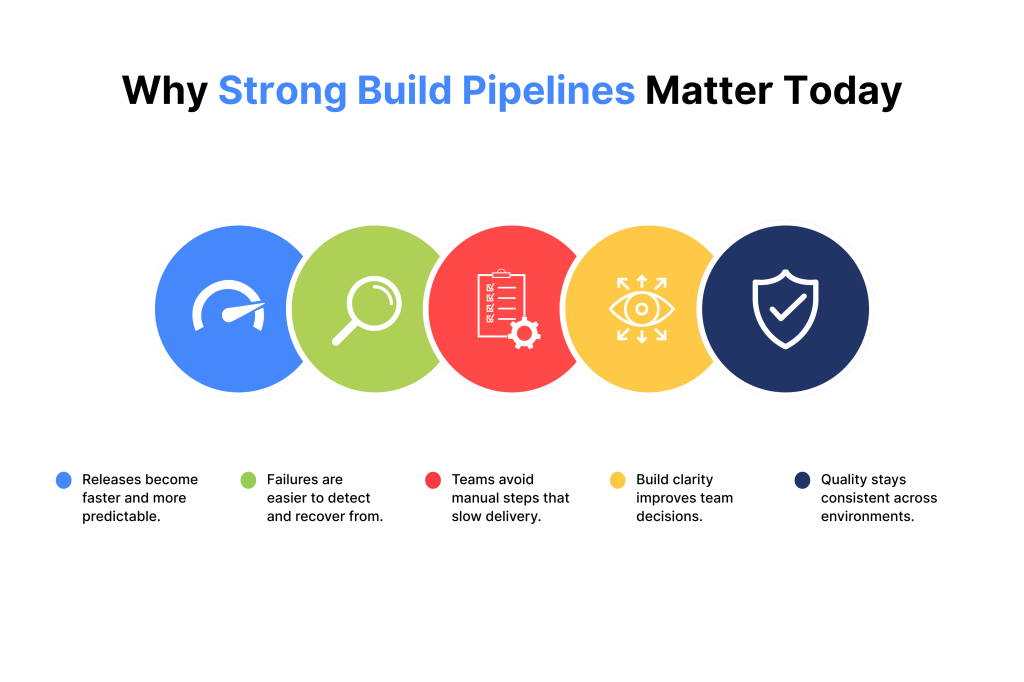
Today’s software build management ensures efficient, repeatable and high-quality delivery. This happens through integrating automation, along with version control and continuous integration pipelines.
However, to use it properly, you need to understand it. This article will take you through the basics of software build management and how it may benefit you and your team.
What Is a Software Build?
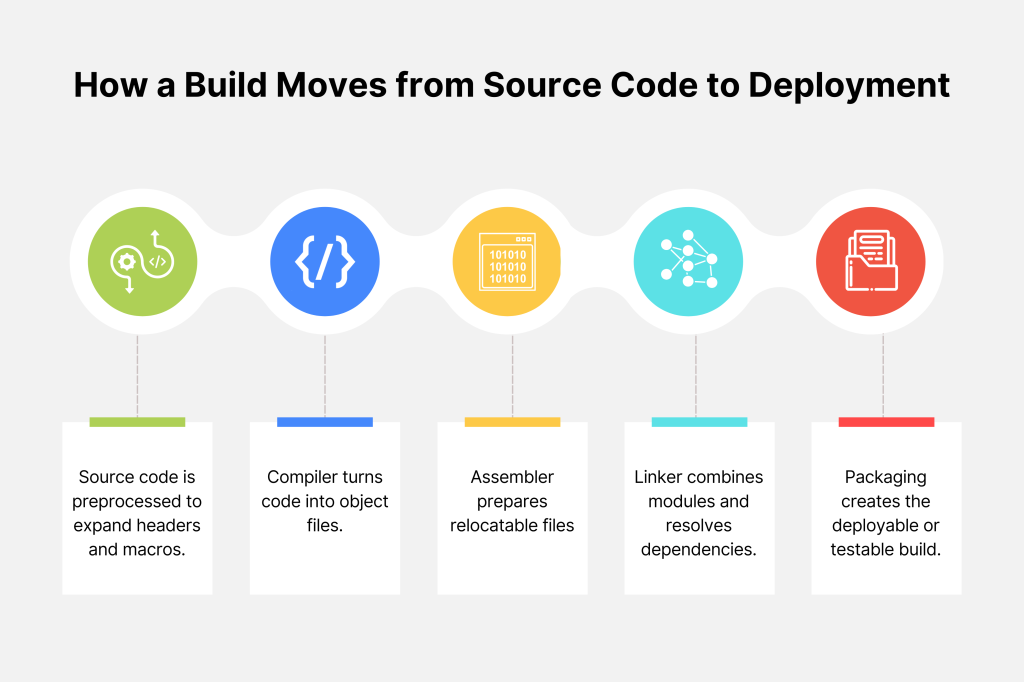
A software build is the process of compiling source code, linking dependencies and packaging the results into executable or deployable artifacts.
Unlike a simple compilation that just converts source code into object files, a full build includes multiple stages. Such as:
- Linking and artifact creation
- Readying the software for deployment or testing
In software testing, builds provide the exact versions that undergo validation to ensure functionality and quality.
Beyond this technical definition, the software build plays a pivotal role in shaping the overall software development lifecycle (SDLC). According to the 2024 State of DevOps Report, organizations with elite DevOps performance achieve a deployment frequency of multiple deployments per day. They report change failure rates (CFR) as low as 20% along with faster lead times for changes.
This enables them to release software quickly and reliably. High-performing teams have significantly lower failure rates and recover faster from incidents compared to lower-performing teams. You can determine the critical impact of mature software build and deployment pipelines on quality and speed in development from this information.
Furthermore, many developers highlight the challenges around build complexity. They mention difficulties related to architecture, modularity and deployment pipelines. An efficient build process reduces such risks by enforcing automation. It simplifies dependency management and provides clear build outputs.
Types of Builds – Full, Incremental and Industrial Approaches
For a software build management tool, it’s important to determine exactly what kind of build you are dealing with. This will make it easier for you to read and compile builds. For the most part, there are two types of build in the management process, which are as follows.
1. Complete/Full Build
In this type of build, the entire software application is built from scratch. It’s done by compiling all source code and dependencies, which generates a complete artifact.
Full builds are commonly used in initial releases or major version updates. They ensure a clean slate but can be resource-intensive.
2. Incremental Build
This type is for projects that require frequent modifications, especially team projects. Incremental builds are more efficient for everyday development as they only compile and link changes introduced since the last successful build.
This reduces build times significantly and allows faster feedback and iteration, especially within agile and continuous integration environments.
Industrial Build Approaches
Industrial Build Approaches in large-scale enterprises adopt systematic, process-oriented practices. Ones that ensure builds are robust, as well as repeatable and quality-driven at scale.
These enterprises usually align their build processes closely with defined test layers. These test layers are known as L1, L2, L3, and L4 testing, which correspond to increasing levels of software validation. More on this below.
- L1 (Unit Testing): Focuses on the smallest functional parts of the code, typically individual functions or methods. This layer catches bugs early and ensures that components work as intended in isolation.
- L2 (Integration Testing): Verifies interactions between multiple components or modules, ensuring integrated parts function together correctly and uncovering interface issues.
- L3 (System Testing): Tests the complete and integrated software system in a production-like environment. End-to-end business workflows, as well as performance and compliance with requirements, are validated.
- L4 (Acceptance Testing): Often conducted by end-users or customer representatives to confirm that the system meets business needs and is ready for deployment.
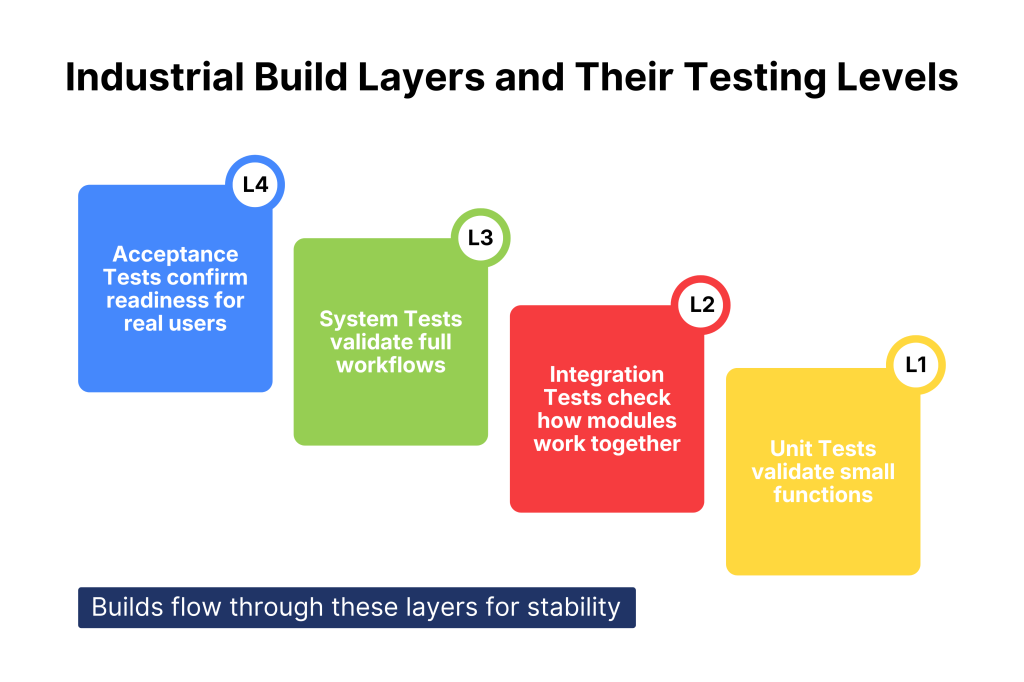
This multi-layered approach helps organizations catch defects early in the development cycle. In turn, defect detection rates are improved and costly late fixes are reduced.
We’d also like to add that industrial build practices commonly use formal process definitions. Along with continuous integration pipelines, automated testing frameworks and quality control metrics to maintain process discipline.
The result is a well-engineered “software factory” where builds move predictably through defined production stages, much like a manufacturing assembly line. With ongoing process measurement and continuous improvement.
The Roles of Build Management Systems
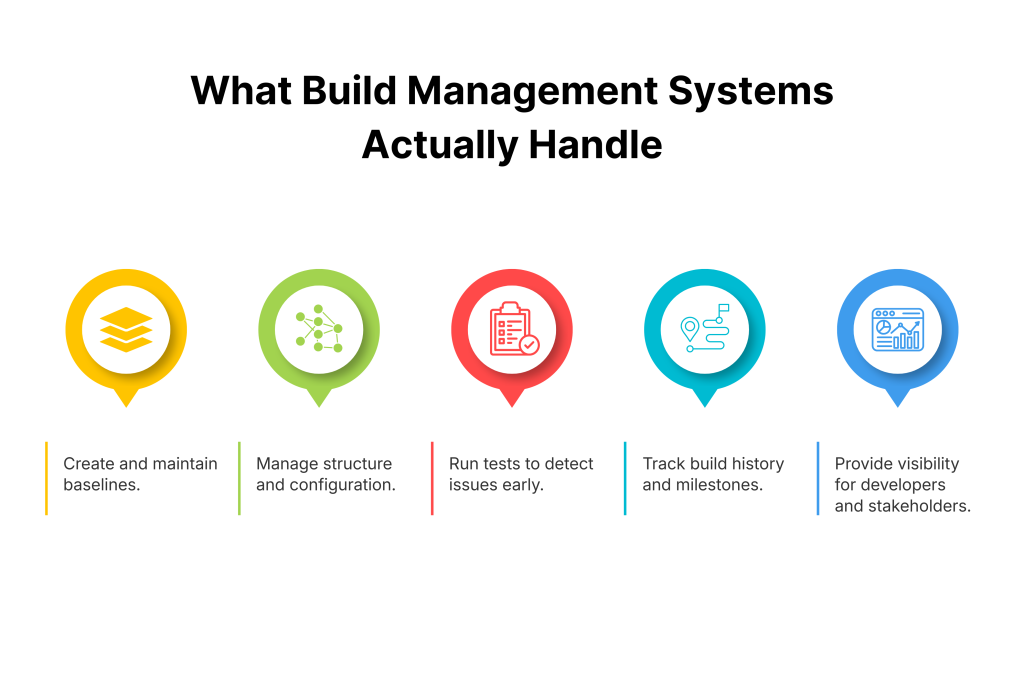
Build management systems have a series of key roles within the software development stage. They carry out the following action:
- Putting together baselines from the first versions of the software
- Organizing and refining the structure of the software
- Running tests to find potential bugs within the software
- Setting up the rules of the development process
- Recording software data at its most important milestones
- Setting up configuration data for the team
- Making the information easily visible to the stockholders and developers
- Removing baselines and orders that are no longer required
You should remember that each software is different, which is why its role may change with each project.
Core Components of the Build Process – Compilation, Linking & Version Control
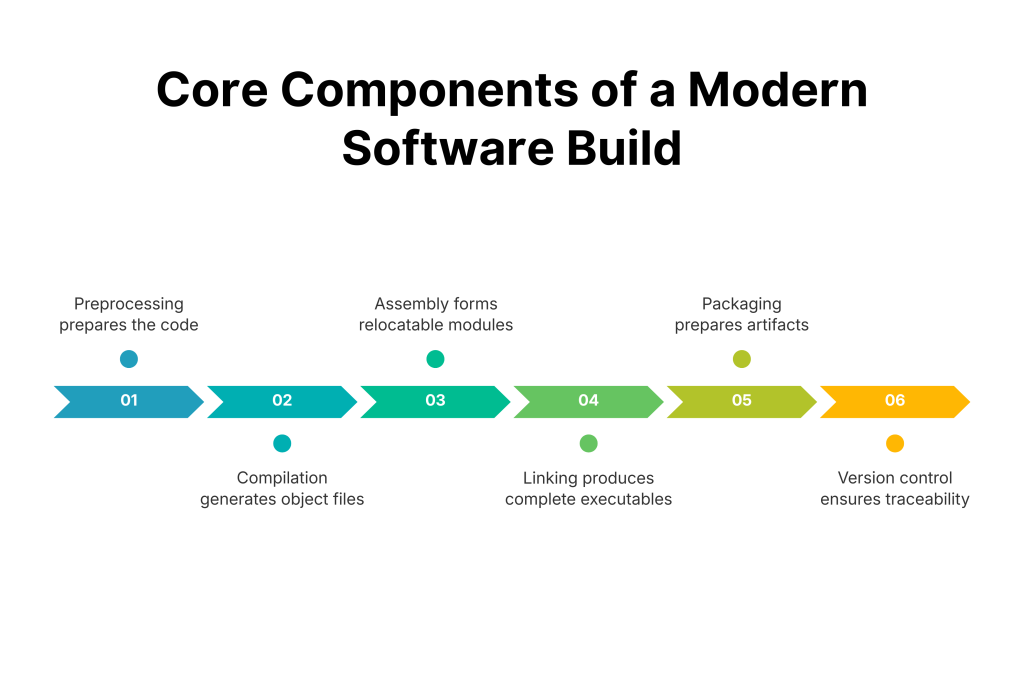
The software build process follows a structured sequence of core stages. Each stage is equally important for transforming source code into reliable, deployable artifacts.
These stages ensure consistency, error detection and integration with modern development workflows. That said, the stages are:
- Preprocessing: Handles directives like ‘#include’ and ‘#define’, expanding headers and macros to prepare source code for compilation.
- Compilation: Translates preprocessed source code into assembly language. And then into intermediate object files containing machine code for specific functions or modules.
- Assembly: Converts assembly code into relocatable object files, ready for further processing.
- Linking: Combines multiple object files with libraries (static or dynamic) to resolve dependencies and produce executable binaries or shared libraries.
- Packaging: Bundles the final binaries into deployable formats like JARs, WAR files, Docker images or NuGet packages. These formats are optimized for distribution and deployment.
- Version Control Integration: Tracks source code, build scripts and configurations via tools like Git, enabling traceability, branching, and rollback to previous versions.
We’d like to add that modern web build software, tailored for front-end or web applications, extends this process with asset bundling. They allow code minification, tree-shaking (removing unused code) and browser optimization.
Tools like Webpack, Vite, or Parcel automate these tasks. They reduce bundle sizes by up to 70% in complex projects through techniques like code splitting, according to the research on reducing bundle size in React Applications by Hivez Luz.
Furthermore, quality control spans all the aforementioned stages. Most developers report that automated testing integrated into builds catches issues earlier.
Integrate Kualitee for real-time build-linked bug and test tracking. Cut debugging time and speed up CI/CD releases effortlessly. Try it out today.
Essential Build Tools and Best Practices for Code Quality
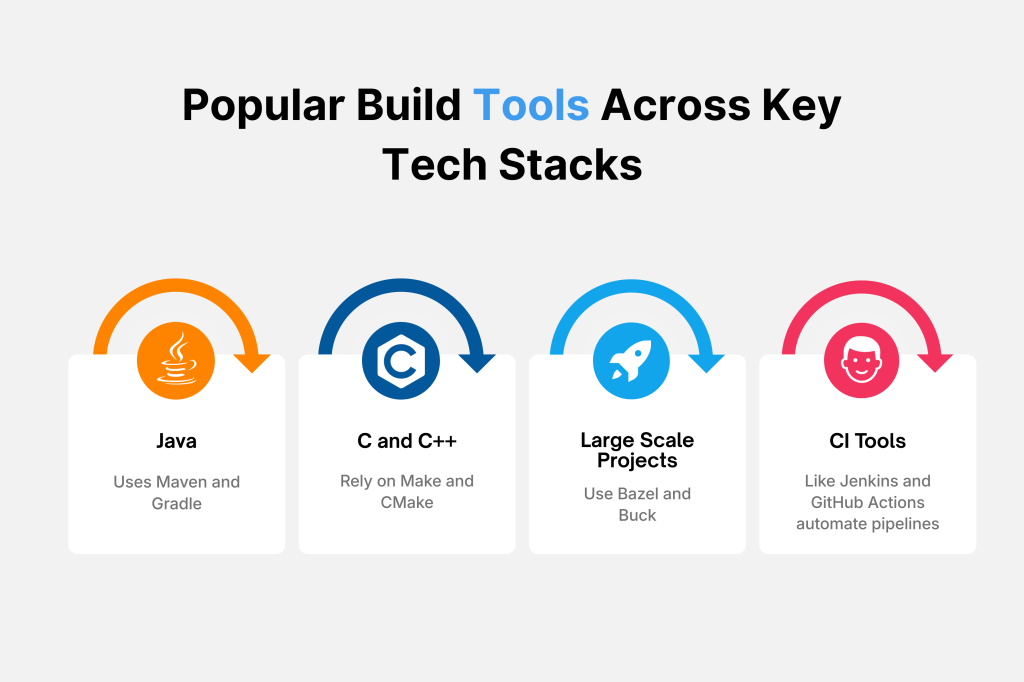
The key software build tools widely adopted today are:
- Java: Maven and Gradle are the leading build automation tools in the Java ecosystem. Maven excels in dependency management and project lifecycle management, while Gradle offers flexibility with faster incremental builds and multi-language support.
- C/C++: Make and CMake remain the standards, with Make providing powerful, customizable automation and CMake simplifying cross-platform builds through configuration files.
- Large-scale builds: Tools like Bazel and Buck are designed for complex, multi-language codebases. They provide fast, incremental builds with advanced caching and parallel execution. Bazel, for instance, is favored by Google and others for handling monorepos efficiently.
- Continuous Integration: Jenkins, GitHub Actions, and CircleCI enable automation of builds, tests and deployments. They integrate easily with build tools to maintain consistent and reliable pipelines.
- Build Quality and Defect Management: Tools like Kualitee complement build tools by providing integrated test case management, along with defect tracking and traceability. This integration improves build quality as well as accelerates bug resolution.
Best Practices to Ensure High Build Quality
The following are some of the expert-recommended practices to ensure robust build quality and maintainability.
- Automated Testing: Integrate automated test suites directly into build pipelines to catch regressions and quality issues early. Doing so will reduce costly downstream fixes. The 2024 Stack Overflow Developer Survey notes that 92% of developers use CI to automate testing, improving software reliability.
- Peer Code Reviews: Implement mandatory code reviews to improve code quality and foster team knowledge sharing, which helps reduce defects and technical debt.
- Modular, Clean Code: Maintain modular architecture and clear coding standards to simplify builds. You can reduce build times and facilitate easier debugging and scaling with this practice.
- Security Testing Integration: Incorporate security scans into builds proactively. Veracode says that 60% of vulnerabilities arise during development. Similarly, Gaurav Malik, in his research on integrating threat intelligence with DevSecOps, highlights that embedding security testing in build pipelines leads to a 30% reduction in vulnerability exposure.
- Monitoring Key Build KPIs: Track metrics such as build success rate (target >95%), build duration (goal under 10 minutes), and test coverage (aim for 80%+). These KPIs lead to continuous improvement and highlight potential bottlenecks.
Benefits of Build Management Tools
Software build management can be done by one person responsible for the task. However, to improve its effectiveness, most teams use various tools. Below are the major benefits of using these tools.
- They save important resources such as time and money.
- They keep a history of all the stages and releases, which can help you solve potential bugs.
- They accelerate the development process.
- They take care of redundant tasks. Your team can focus on more important tasks.
- They eliminate dependencies on important personnel
Optimizing Build Performance – Caching, Parallelization & Performance Strategies
If performance optimization is done right, you can change slow, resource-heavy builds into efficient processes. Ones that support rapid development cycles, reduce costs and improve team productivity in modern CI/CD environments.
Large projects with frequent commits demand these techniques to maintain developer velocity while controlling cloud compute expenses.
Caching
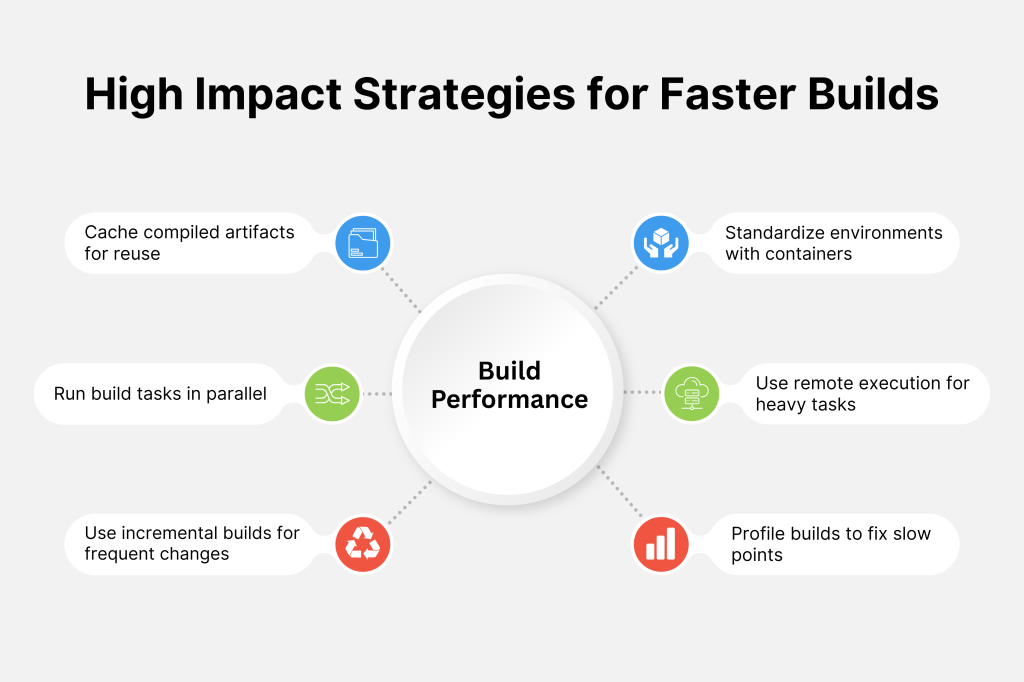
Caching stores compiled artifacts, dependencies and intermediate files for reuse across builds.
Local caching in tools like Gradle or Maven reduces rebuild times by 50-70%. On the other hand, remote caching solutions (Bazel Remote Cache, BuildBuddy) enable team-wide sharing and cut corporate build times significantly in monorepos.
You can implement layer caching in Dockerfiles and dependency caching in GitHub Actions for maximum impact.
Parallelization
Distributing build tasks across CPU cores or cloud agents achieves dramatic speedups. Gradle’s worker API and Bazel’s execution graph enable near-linear scaling.
You can configure ‘–max-workers’ flags and use ‘make -j$(nproc)’ to saturate available hardware while monitoring memory usage to avoid thrashing.
Incremental Compilations
Modern build systems detect changed files via timestamps or content hashes, recompiling only affected modules and dependents.
This reduces daily builds from hours to minutes, with Rust’s cargo achieving 85%+ incremental success rates. Combine with clean builds for releases to maintain baseline integrity.
Containerization and Environment Standardization
Docker and Podman create reproducible build environments, eliminating “it works on my machine” issues across developer laptops, CI agents, and staging.
Furthermore, multi-stage Dockerfiles minimize image sizes, while BuildKit accelerates layer caching. Kaniko and Buildah enable builds in Kubernetes without Docker daemons.
Distributed Builds and Remote Execution
For enterprise projects, distributing build and test tasks across cloud clusters or remote servers balances workload and accelerates pipelines.
Bazel Remote Execution enables simultaneous execution of thousands of build actions. Benchmarks show projects like Envoy proxy achieve up to 13x faster builds by scaling workers from 2 to 20 concurrently, significantly improving developer productivity.
Build Profiling and Bottleneck Analysis
Profiling tools provide visibility into build phases, resource usage, and network activity to identify pain points.
Bazel offers detailed execution logs and metrics, helping teams optimize slow tasks or improve cache hits. Continuous profiling enables gradual, targeted improvements, often reducing build times by half when bottlenecks are addressed.
By combining the aforementioned strategies, development teams achieve faster, more predictable builds. This allows multiple daily builds or continuous deployments without sacrificing quality or inflating costs. You are able to achieve modern software innovation at scale.
Integrating Software Build into the Software Development Lifecycle
Software build processes are deeply integrated into the Software Development Lifecycle (SDLC) through Continuous Integration and Continuous Deployment (CI/CD) pipelines. These pipelines automate each critical step: build triggering, compilation, testing and deployment. These together form the backbone of modern, efficient software delivery.
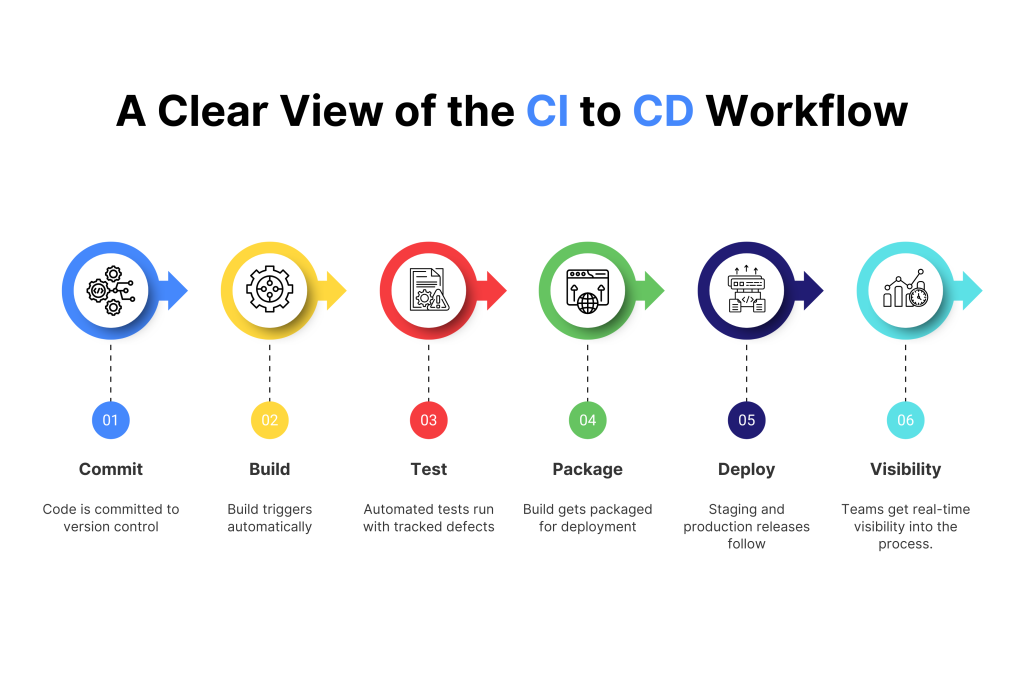
A practical CI/CD example workflow might look like this:
- Developers commit code to a Git repository.
- A Jenkins pipeline compiles, links and packages the build.
- Automated test suites run with Kualitee, managing test cases and defect tracking.
- Upon passing all checks, deployment happens automatically to staging or production.
This integration shortens the feedback loop and promotes quality. It aligns all stakeholders with real-time build status.
That said, mature CI/CD and platform engineering practices make a huge difference in how modern teams build and ship software. When automation takes care of workflows, developers are no longer slowed down by manual steps, handovers or waiting on other teams. They move from writing code to seeing it live in production with very little friction.
A strong DevOps culture also treats security and compliance as part of the delivery pipeline. Instead of something checked at the end. Updates, patches and approvals become routine and repeatable. This raises the overall quality and trust in the software.
When build and deployment processes are fully integrated into the SDLC, delivery becomes predictable instead of stressful. Teams release faster, fix issues quicker, and recover from failures with confidence.
Quick Checklist for Software Build Adoption
✅ Define clear KPIs for build success, duration and test coverage to measure process effectiveness and identify improvement areas consistently.
✅ Choose appropriate build tools that fit your technology stack and automate testing within pipelines to catch issues early and maintain code quality.
✅ Integrate version control systems and defect tracking tools such as Kualitee to ensure traceability, streamline bug resolution and enhance collaboration.
✅ Implement caching strategies and parallelization to optimize build performance, reduce build times and accelerate feedback loops.
✅ Include security scans routinely in the build process to detect vulnerabilities early, ensuring compliance and reducing risk.
✅ Educate development and QA teams on modular design principles and build best practices to reduce technical debt and simplify maintenance.
✅ Set up real-time collaboration tools like Slack or Microsoft Teams integrated with build systems to facilitate instant communication and quicker issue resolution.
✅ Document build processes and configurations thoroughly, and perform regular audits to maintain consistency and ease onboarding.
✅ Monitor build-related costs and resource utilization regularly to optimize budgets and use cost-saving cloud features like spot instances and autoscaling.
Implementation Tip: Start with 3 high-impact items (KPIs, caching, testing automation), measure baseline vs. post-implementation, then expand.
The Bottom Line
Effective build management strengthens every phase of software development. It accelerates delivery through automation, structured version control, plus reliable CI/CD workflows.
Teams handle various build types while managing core stages such as compilation, linking, testing and quality checks early in the cycle. This prevents small issues from turning into larger failures.
With the right tools in place, collaboration improves. Build performance becomes easier to monitor. Manual effort drops. Release cycles stay predictable. Stakeholders get clearer visibility into progress.
Strong build management also creates resilience. Failures become easier to recover from, productivity rises, release confidence grows, software stability improves. In the end, teams ship better products faster, which ultimately strengthens business results.
See Kualitee in action with a quick demo.
One platform, cleaner testing, faster releases. Judge it live.
Frequently Asked Questions (FAQs)
Q) What do you mean by software build?
The process that compiles, links and packages source code into a deployable or testable artifact.
Q) What are L1, L2, L3 and L4 in software development?
They represent levels of testing: L1 – Unit, L2 – Integration, L3 – System, L4 – Acceptance testing phases, often linked with specific builds.
Q) How can I build software?
Start by writing the source code, then use build tools (like Gradle or Make) to compile and link it into an executable. Typically, this is done within an automated CI/CD pipeline.
Q) What is build vs. compile?
Compiling converts code into intermediate files. Building includes compiling plus linking, packaging and generating deployable outputs.