There isn’t a single application in the world that is free from bugs. Some have fewer than others, but every application does have them. What matters is how many of them you’re able to fix.
Bug fixing is one of the most important parts of software development. And an efficient bug management tool can make things a hell of a lot easier for you.
Throughout the process, from identifying and reporting bugs to verifying fixes, a structured approach, along with a bug management tool, ensures faster resolution. You also get improved productivity and higher software quality. Let us explain further.
Key Takeaways
- Bugs are inevitable, but efficient fixing is crucial. Nearly 32% of developers spend up to 10 hours weekly fixing bugs instead of building new features.
- A bug management tool improves productivity. It ensures structured tracking, visibility, and prioritization. This leads to fewer missed defects and improved collaboration across QA and development teams.
- Early detection is highly cost-effective. Identifying bugs early can cut average resolution time by over 40%, leading to less downtime and operational costs.
- Structured triage improves speed and focus. Using triage matrices can improve Mean Time to Resolution (MTTR) by 30-40% by ensuring teams focus on high-impact defects first.
- Post-fix reviews drive long-term efficiency. Regular reviews and documentation correlate with up to 20% yearly efficiency gains in development and deployment.
- A bug management tool improves productivity. It ensures structured tracking, visibility and prioritization. Missed defects are reduced, and collaboration across QA and development teams is improved.
Why Bug Fixing Matters So Much?
There are so many types of bugs that can cause unexpected software behaviour, crashes and performance issues. If left untreated or poorly managed, these bugs have far-reaching consequences. They disrupt user experience and erode the brand’s trust. Not to mention the increased downtime, lost revenue and elevated operation costs.
You see, effective bug fixing is not just about patching code. It’s about building a resilient and collaborative process that minimizes downtime. It reduces technical debt and accelerates delivery.
One of the most compelling reasons for prioritizing bug fixing is the exponential growth in the cost of resolving defects. The later they are discovered in the software development lifecycle, the costlier they are to fix.
Also note that a global survey by Mike Vizard revealed that nearly a third (32%) of developers spend up to 10 hours a week fixing bugs, instead of writing code. While 16% said they spend up to 15 hours a week. This is how important bug fixing is.
However, due to the developers spending so much time fixing this, productivity takes a hit, and innovation is slowed. This is where a bug management tool comes into play.
The Challenges of Bug Fixing
Bug fixing can be a complex and lengthy task, especially in large software projects. Without a proper bug management system, developers often struggle with issues such as:
- Poor issue tracking
- Lack of visibility
- Difficulty in prioritizing bugs
These challenges can result in delayed bug fixes, reduced productivity and a subpar software product. It’s crucial to address these challenges by adopting a suitable bug tracking tool. One that can streamline the bug-fixing process.
Benefits of a Bug Management Tool
By using the right bug management tool, developers can get several benefits. Firstly, such a tool offers robust issue tracking capabilities, allowing developers to log, categorize and prioritize bugs efficiently.
This ensures that no bug goes unnoticed and helps in maintaining a clear overview of the project’s bug status. You also get collaboration features, which enable communication among team members and facilitate discussions.
Moreover, these tools usually offer comprehensive reporting and analytics functionalities, allowing QA team leads and stakeholders to gain insights into the bug-fixing process. This data-driven approach lets the higher-ups take informed decisions, identify patterns or trends and optimize future development cycles.
So, which bug management tool should you go for? Let’s answer that.
Key Features to Consider When Choosing a Bug Management Tool
When choosing a bug management tool, it’s essential to consider certain key features, which are:
- Centralized and user-friendly interface for bug tracking
- Easy access and navigation for all team members
- Customization options for defect reports
- Support for multiple workflows
- Robust collaboration features
- Advanced reporting and analytics dashboard
Furthermore, integration capabilities are crucial as well. The tool should integrate with your existing development environment.
Now, you might think that finding a bug management software with so many features is hard, but it really isn’t.
Kualitee offers all these essential features. It’s built as an all-in-one test and defect management platform. One that offers a centralized, intuitive interface that makes bug tracking and fixing effortless. It offers good customization options for defect reports and workflows. QA and development teams can tailor the system to their unique process.
And not just that, Kualitee integrates smoothly with tools like Jira, GitHub, Jenkins, and more, ensuring your workflows remain uninterrupted and efficient.
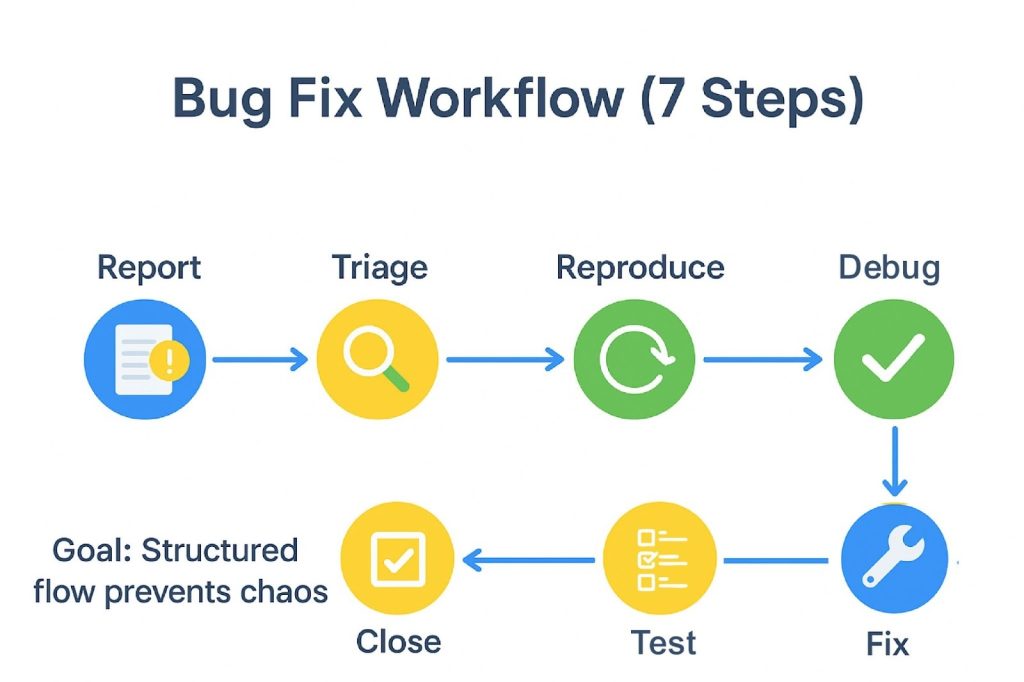
The 7-Step Bug-Fixing Workflow
A disciplined, step-by-step approach improves both the quality of fixes and clarity throughout the bug resolution process. Below is a walkthrough of an ideal bug-fixing workflow that’s designed to optimize efficiency, whether you’re doing things manually or using a bug management tool.
Step 1 – Discover: Proactively Find Bugs Before Your Users Do
The process begins with proactively identifying issues via automated or manual error logging. Along with monitoring dashboards and structured feedback from pre-release testing and users.
Utilizing bug fix tools that support synthetic testing and real-time telemetry captures helps surface even minor defects and performance degradations early. This reduces costly late-stage fixes.
Step 2 – Report: Capture & Document Bugs for Clarity
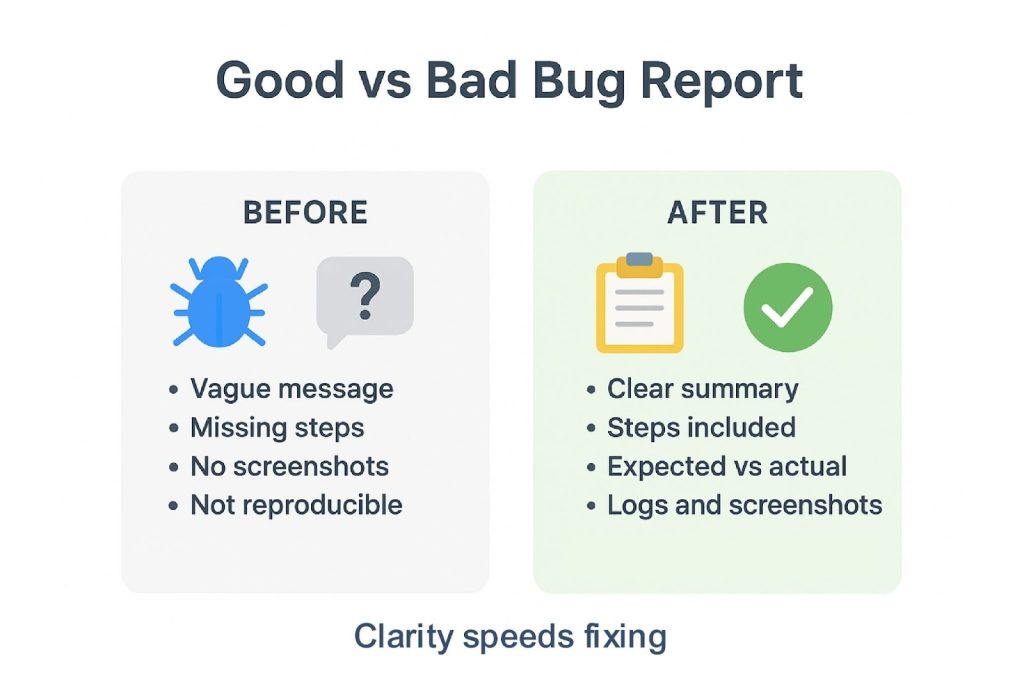
Clear and comprehensive documentation of found bugs is very important. Bug reports should include reproduction steps, along with screenshots or logs and environment details.
Doing so will help clarify context, and it will become easier to draw a comparison between actual and expected behaviour. Besides this, the severity and priority rating also become clear for triage.
Attachments such as crash dumps and screen recordings further enrich reports. That said, if you’re looking to save some time, you can use standardized, pre-made templates. They are proven to speed communication and shorten fix cycles.
Step 3 – Triage: Prioritize by Impact, Severity & Priority
“Not all bugs hold equal weight.” We’re sure you’ve already heard this before (considering you’re a seasoned QA/Software Developer). And it’s true.
Assigning your bugs priority levels based on severity and business impact is something that must be done. It ensures resource focus aligns with critical needs.
Also, for a better understanding of beginners, severity measures the technical effect on the product, i.e., data loss vs. visual glitch. While priority schedules urgency based on factors such as release deadlines or stakeholder requirements, as per GeeksforGeeks’s article.
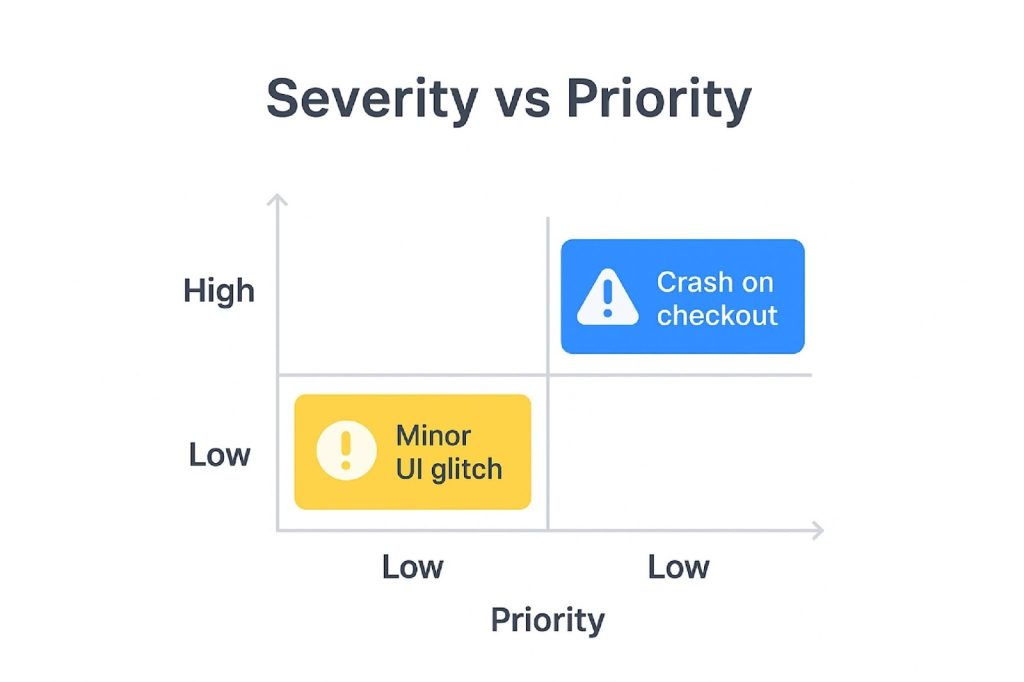
The use of triage matrices eases this process. Mean time to resolution (MTTR) is also improved by around 30-40% as teams concentrate on high-value fixes promptly.
Step 4 – Reproduce: Confirm the Bug in a Controlled Environment
Reproducibility ensures the bug can be consistently observed, which is vital to root cause analysis.
Executing the bug in test or staging environments that replicate user settings prevents misdiagnosis. And that’s exactly what you’re supposed to do in this step.
Doing so also helps in stopping fixes aimed at symptoms rather than causes. Do note that this step consumes a majority of debugging time. However, it’s worth it since the improvements here yield meaningful efficiency gains and smoother fix deployments.
Step 5 – Fix: Develop, Test & Document the Software Fix
After reproducing the bugs, developers then address them by crafting targeted fixes. This is done ideally while pairing or code reviewing to improve quality and share knowledge.
We recommend writing unit and integration tests to cover the fix so you can prevent regressions and contribute to automated test suites. Furthermore, maintain a clean version control by linking commits and branches to bug tickets. This helps in traceability and auditability.
Step 6 – Verify: Test the Fix, Run Full Regression & Gather Stakeholder Feedback
After implementation, fixes undergo verification. And this isn’t just the case for isolated unit tests but also for full regression and user acceptance testing (UAT).
Ensuring that no new issues emerge around the change is critical. Hence, you should make sure that nothing is broken after the patch and get stakeholder feedback as well.
Where practical, stage rollouts or smoke tests on production mirrors complement these checks. They reduce the risk of escaped defects and costly hotfixes by over a third.
Step 7 – Post-Fix Review: Learn, Document & Improve
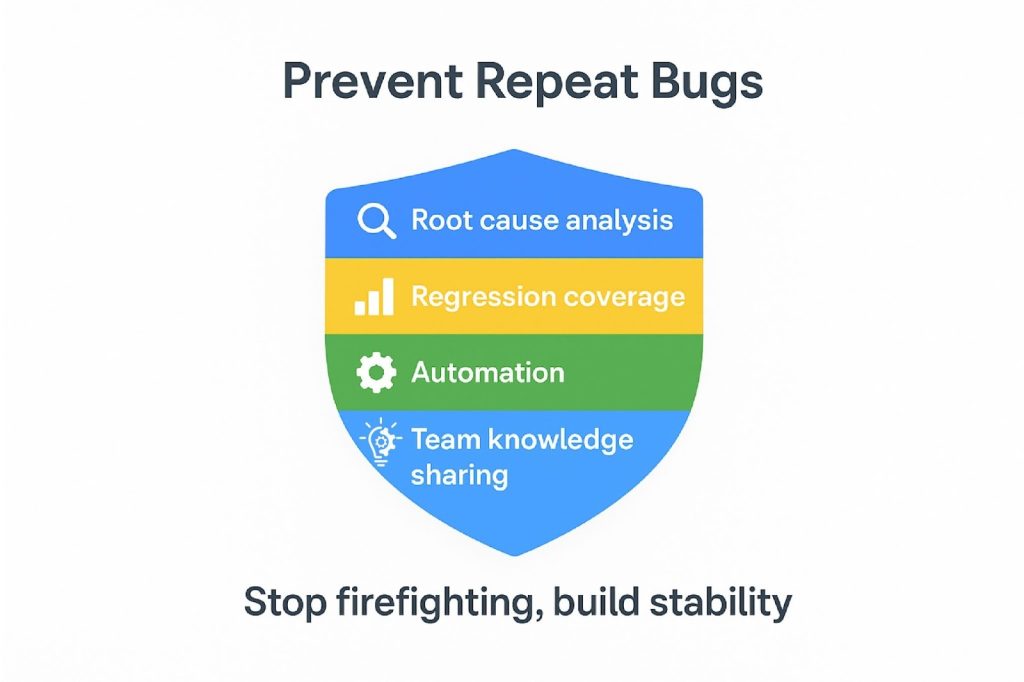
At last, the workflow closes with a post-fix review meeting to analyze defects, along with documenting root causes and remediation steps. The test cases then have to be updated to catch similar bugs early.
You can use the following metrics to measure success and identify bottlenecks.
- MTTR
- Bug reopen frequency
- Escape rates
- Fix success rate
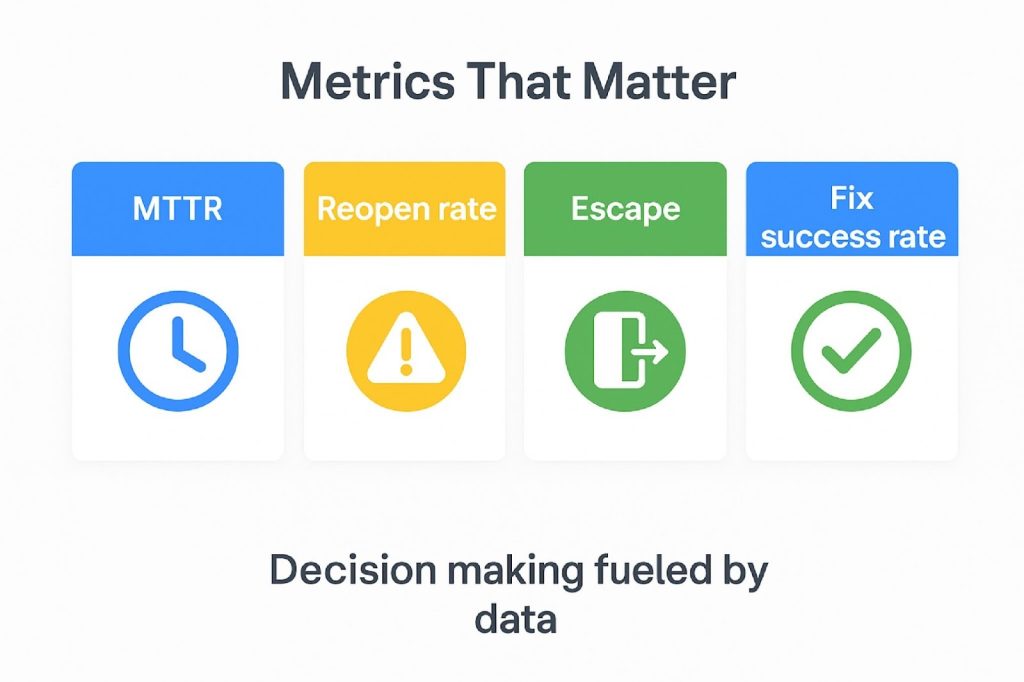
Regular reviews lead to continuous improvement, which, according to the DORA reports, correlates with up to 20% yearly gains in development and deployment efficiency.
SLAs for Effective Bug Resolution
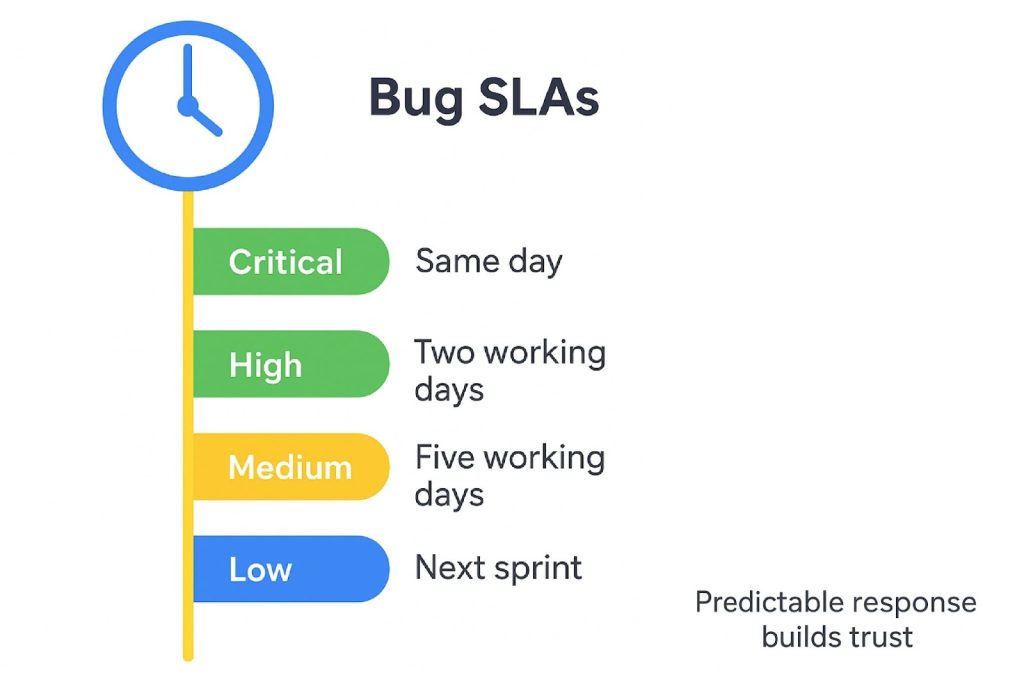
It’s always a good idea to establish service level agreements (SLAs) that are aligned with the severity and priority of bugs. They play a huge role in ensuring timely and effective resolution in any software development lifecycle.
SLAs provide clear expectations for when and how bugs should be addressed. Due to this, teams avoid delays. For example:
Critical Bugs: Those that cause system-wide failures, security breaches or data loss demand immediate attention. These bugs must be acknowledged and ideally resolved within hours to minimize disruption and maintain business continuity.
High-Priority Bugs: While perhaps not causing complete outages, they significantly degrade functionality or user experience. These should be addressed within the current sprint or within a day. You also have to make sure that major features remain stable and that user confidence is preserved.
Medium-Low-severity Bugs: These usually include cosmetic issues or minor feature imperfections. Fixes for them can be scheduled into backlog tasks and addressed in subsequent releases or sprints. This scheduling preserves developer focus on higher-impact problems while ensuring continuous product refinement.
Bug Report Example/Template
Conclusion
Bug fixing is one of the most important things for successful software development. It significantly impacts user experience and brand trust.
Making use of a good bug management tool, like Kualitee, eases the bug tracking process. It also improves collaboration and provides valuable insights through detailed reporting.
Lastly, adopting a structured, step-by-step bug-fixing workflow is recommended. By doing so, teams can prioritize issues, reduce technical debt and minimize costs related to unsolved defects.
Frequently Asked Questions (FAQs)
Q) What is bug fixing in software testing?
Bug fixing in software testing entails identifying, analyzing, correcting defects in software to ensure it meets functional and performance requirements.
Q) What’s the difference between severity and priority in bug fixing?
Severity defines the impact on system functioning. Priority guides the urgency for resolving bugs based on business needs.
Q) What are the 4 stages of software testing?
The four stages are Unit Testing, Integration Testing, System Testing and User Acceptance Testing (UAT).
Q) What are the 7 principles of software testing?
- Testing demonstrates the presence of defects, not their absence
- Exhaustive testing is impossible
- Early testing saves time and money
- Defects tend to cluster
- Beware of the pesticide paradox
- Testing is context-dependent
- Absence of errors is a fallacy