QA has changed.
Release cycles are faster. Teams are smaller. Expectations are higher. And now, AI is starting to shape how testing is done.
But here’s the problem. Most QA teams are still using tools that were not built for this kind of speed.
Azure DevOps is one of them.
It is widely used. It is powerful for development. And for many teams, it comes as part of the ecosystem, so they simply continue using it for QA as well.
But that raises a serious question:
Is Azure DevOps actually built for modern QA workflows, or are teams just adapting around its limitations?
This article breaks that down. No hype. Just a practical look at what you pay and what you actually get.
Key Takeaways
- Many teams end up using Azure DevOps for QA because it already exists in their development stack. Not because it is purpose-built for testing. This default choice works early on, but starts creating friction as QA needs grow.
- Azure DevOps can support basic test management. But as test suites scale and processes mature, teams begin facing limitations in execution speed, structure and overall workflow efficiency.
- Modern QA is no longer just about running test cases. It requires real-time visibility, clear reporting, traceability, and faster decision-making, which development-first tools struggle to fully support.
- The lack of built-in reusability, AI-driven insights, and centralized QA data increases manual effort over time. Teams spend more time managing tests and reports instead of improving product quality.
- Reporting and integrations in Azure DevOps often rely on external tools. This adds operational complexity, creates data gaps and slows down communication with stakeholders.
- Kualitee takes a QA-first approach. It combines execution, reporting, AI insights, and centralized management in one platform. This helps teams reduce effort, move faster and achieve better overall ROI.
The Common Assumption Around Azure DevOps
For many teams, the decision to use Azure DevOps for QA is not always a deliberate one. It usually happens by default, since the platform is already being used for development, sprint management, and CI/CD pipelines, making it feel like the easiest option to extend into testing as well.
At a surface level, this approach seems logical. Keeping everything within one ecosystem reduces onboarding effort, avoids tool switching, and gives the impression of a more streamlined workflow.
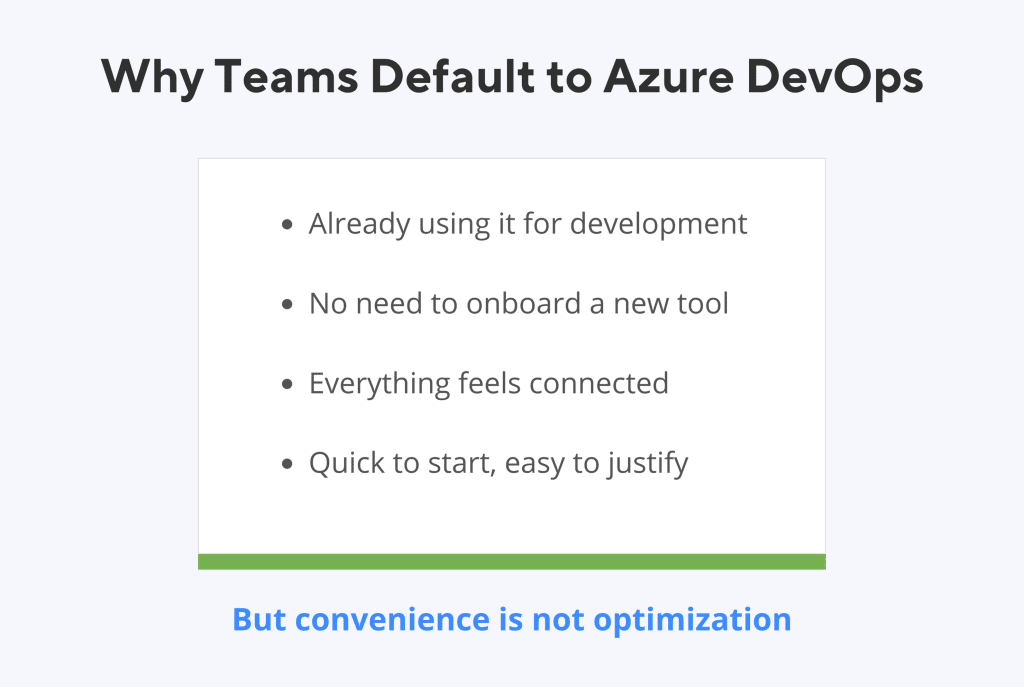
However, this convenience often comes with hidden trade-offs that only become visible over time.
When Simplicity Starts to Break
As long as testing remains simple, the system appears to work. But as QA grows in scope and responsibility, the limitations begin to surface. Testing is no longer limited to writing and executing cases. It now involves structured processes, deeper visibility, faster reporting, and smarter decision-making.
Most teams initially expect Azure DevOps to support their QA needs in the same way it supports development, but QA requires a different level of focus and specialization.
Over time, teams begin to notice challenges such as:
- Increased effort in managing and executing large test suites
- Lack of reusable structures like shared preconditions
- Limited visibility into coverage, risks, and execution trends
- Dependency on external tools for reporting and insights
- Difficulty in providing clear, real-time updates to stakeholders
- No built-in AI support to assist with analysis or summaries
These are not immediate blockers, which is why they often go unnoticed in the early stages. Instead, they appear gradually as inefficiencies that teams work around rather than address directly.
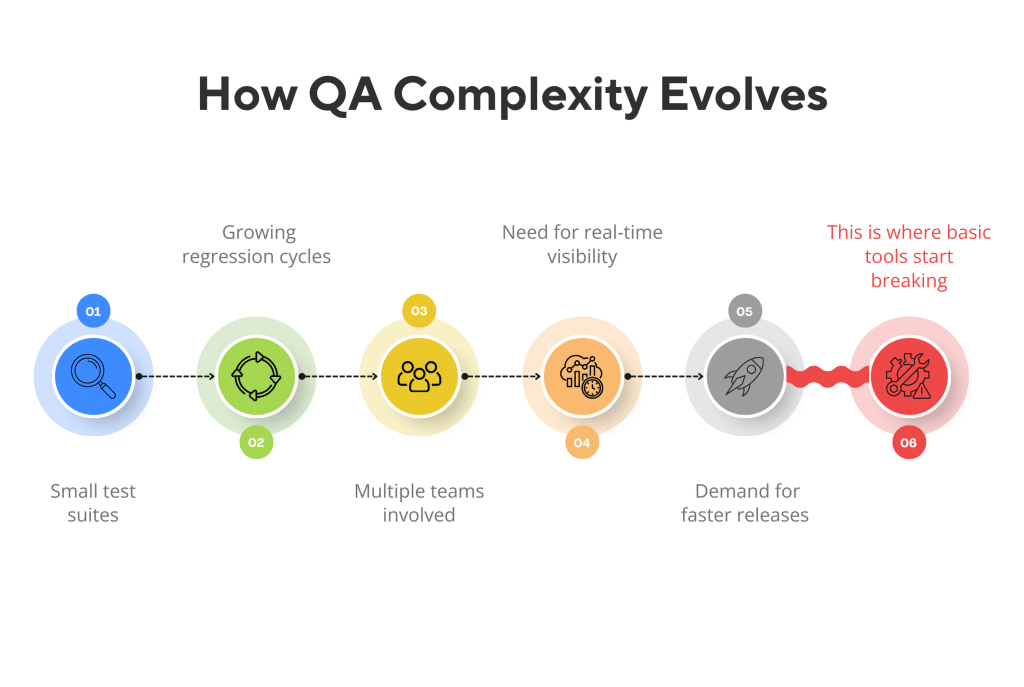
Azure DevOps does support testing, but it was not designed with QA as its central focus. As a result, teams often find themselves adjusting their workflows to fit the tool. Instead of using a system that naturally supports how QA should operate.
Azure DevOps vs. Kualitee: Detailed Analysis
The following are some of the things that QA teams observe while using both Azure DevOps and Kualitee across different projects and environments.
1. The Starting Point: Built for Dev vs Built for QA
Azure DevOps
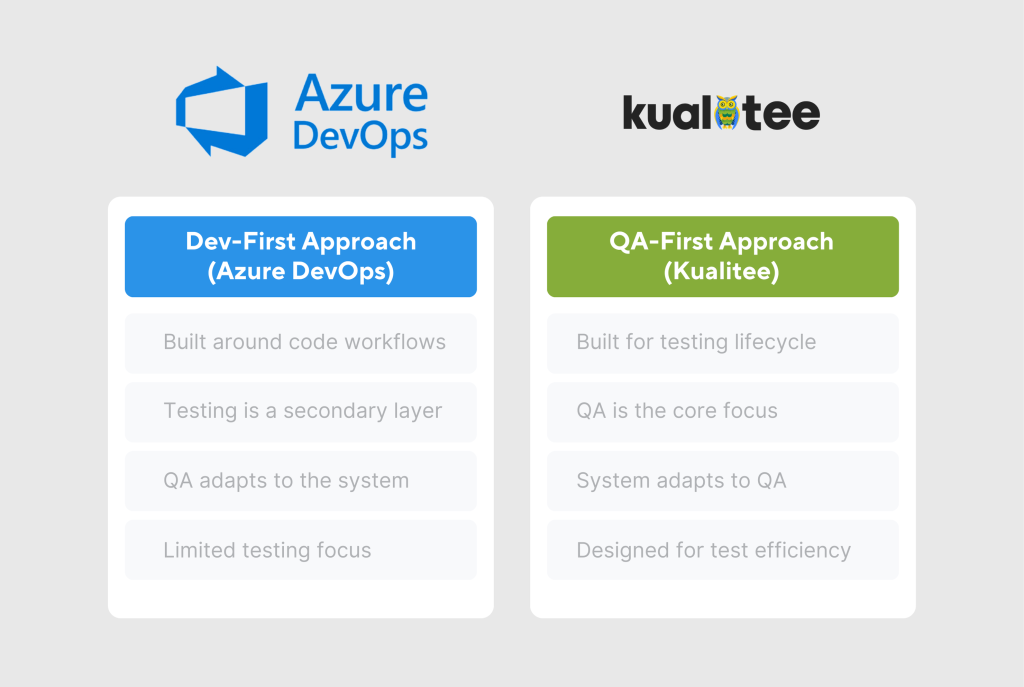
Azure DevOps is fundamentally designed as a development platform. Its core strengths lie in code management, pipelines, and project tracking. Testing exists within this ecosystem, but it is positioned as an extension rather than a primary focus.
Because of this, QA workflows often feel secondary. Teams frequently need to adjust their processes to fit within the structure of the platform. This can lead to inefficiencies over time.
Kualitee
Kualitee is designed specifically for QA teams. Every feature is built with testing workflows in mind, from test case management and execution to reporting and traceability.
Instead of adapting QA to the tool, the platform aligns with how QA teams naturally operate.
What This Means
- Azure DevOps supports QA, but does not prioritize it
- Kualitee treats QA as a core function
- Teams using Kualitee spend less time adjusting workflows and more time improving quality
This foundational difference influences every other aspect of the comparison.
Explore how Kualitee is built for modern testing.
2. Test Execution: Flow vs Friction
Azure DevOps
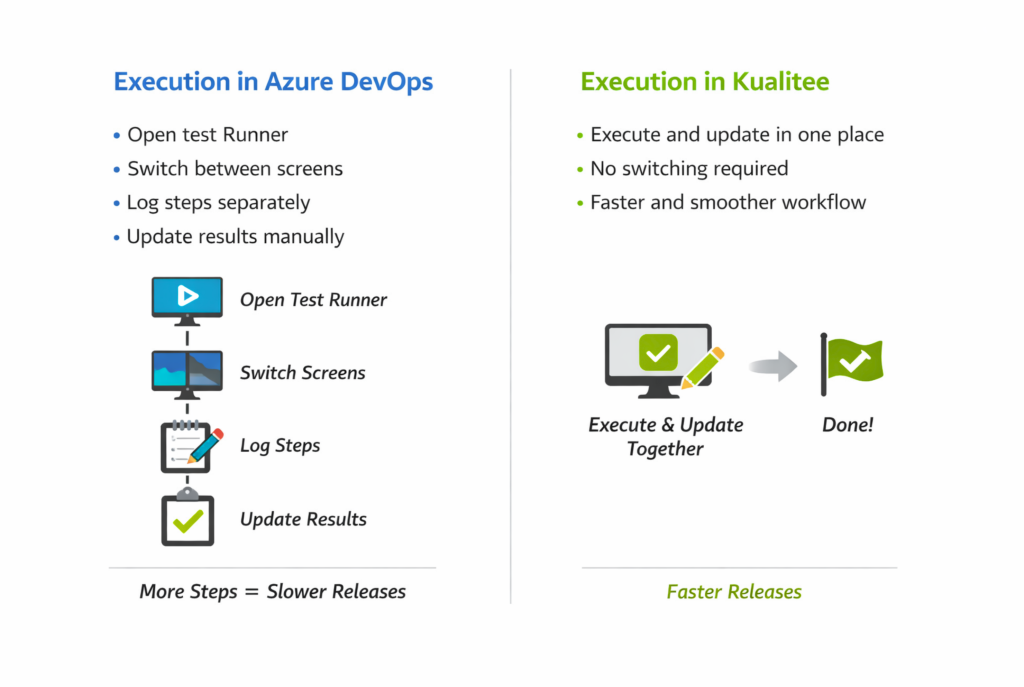
In Azure DevOps, executing manual test cases requires launching a separate Test Runner and navigating across multiple views. Testers often move between screens to mark steps, log results, and manage execution status.
While this process is functional, it introduces friction that becomes more noticeable with scale. For teams handling large regression cycles or frequent releases, even small delays in execution can accumulate into significant inefficiencies.
Over time, this leads to:
- Slower execution cycles
- Increased cognitive load due to context switching
- Reduced tester productivity
- Longer feedback loops for developers
Kualitee
Kualitee streamlines execution by allowing testers to perform all actions within a single interface. Test steps, results, and updates are managed in one place, eliminating the need to switch between screens.
This creates a smoother workflow that supports faster execution without interruptions.
What This Means
- Azure DevOps introduces extra steps that slow down testing
- Kualitee keeps execution simple and continuous
- Teams using Kualitee can complete test cycles faster with less effort
For teams operating in fast-release environments, this efficiency becomes a critical advantage.
Sign up for Kualitee and try it with your own test cases.
3. Reusability: Duplication vs Structure
Azure DevOps
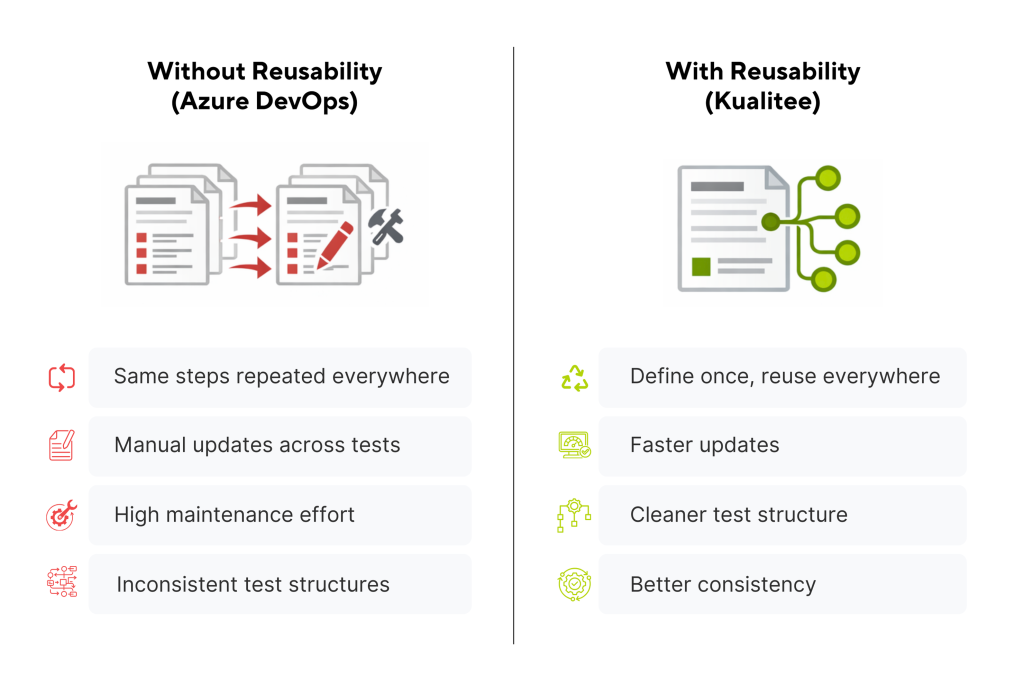
Azure DevOps does not offer built-in support for common preconditions or reusable components. As a result, teams often duplicate similar steps across multiple test cases.
While this may seem manageable at first, it creates long-term challenges:
- Repeated effort when creating test cases
- Increased maintenance when updates are required
- Higher risk of inconsistencies across tests
As test suites grow, this lack of structure becomes harder to manage and slows down QA operations.
Kualitee
Kualitee supports reusable components like common preconditions, allowing teams to avoid repeating the same setup across multiple test cases. Instead of rewriting steps, testers can define them once and reuse them where needed.
This keeps test management more structured, reduces duplication, and makes updates easier as test suites grow.
What This Means
- Azure DevOps increases manual effort through duplication
- Kualitee reduces redundancy through reusability
- Test maintenance becomes faster and more consistent in Kualitee
This is particularly valuable for teams managing large or complex test environments.
Reusability is just one piece. See every feature that Kualitee offers to QA teams.
4. AI Capabilities: Manual Effort vs Intelligent Insight
Azure DevOps
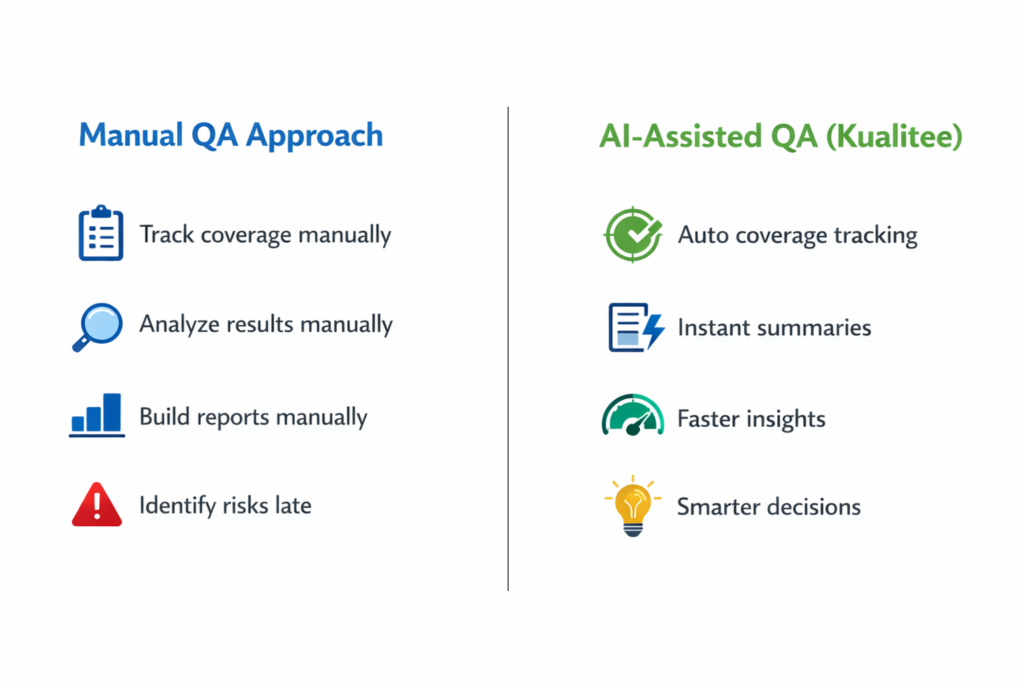
Azure DevOps does not include AI-driven capabilities for QA workflows. Teams are responsible for manual tracking coverage. As well as analyzing results and preparing summaries for stakeholders.
This creates a gap between execution and insight, where data exists but requires significant effort to interpret.
Common challenges include:
- Time spent analyzing test coverage
- Difficulty identifying high-risk areas
- Manual preparation of executive reports
- Limited ability to extract insights quickly
Kualitee
Kualitee integrates AI into its QA processes, enabling features like test case coverage tracking and executive summaries. This helps teams quickly understand testing outcomes without spending time on manual analysis.
It allows teams to identify gaps, track progress, and share clear insights with stakeholders more efficiently.
What This Means
- Azure DevOps relies heavily on manual interpretation
- Kualitee provides automated insights and summaries
- Teams can make faster and more informed decisions
As QA continues to evolve, AI-driven insights are becoming a key differentiator.
This is where Hootie AI removes the manual overhead. It turns QA data into clear, usable insights inside Kualitee.
5. Reporting & Visibility: Limited Data vs Actionable Insights
Azure DevOps
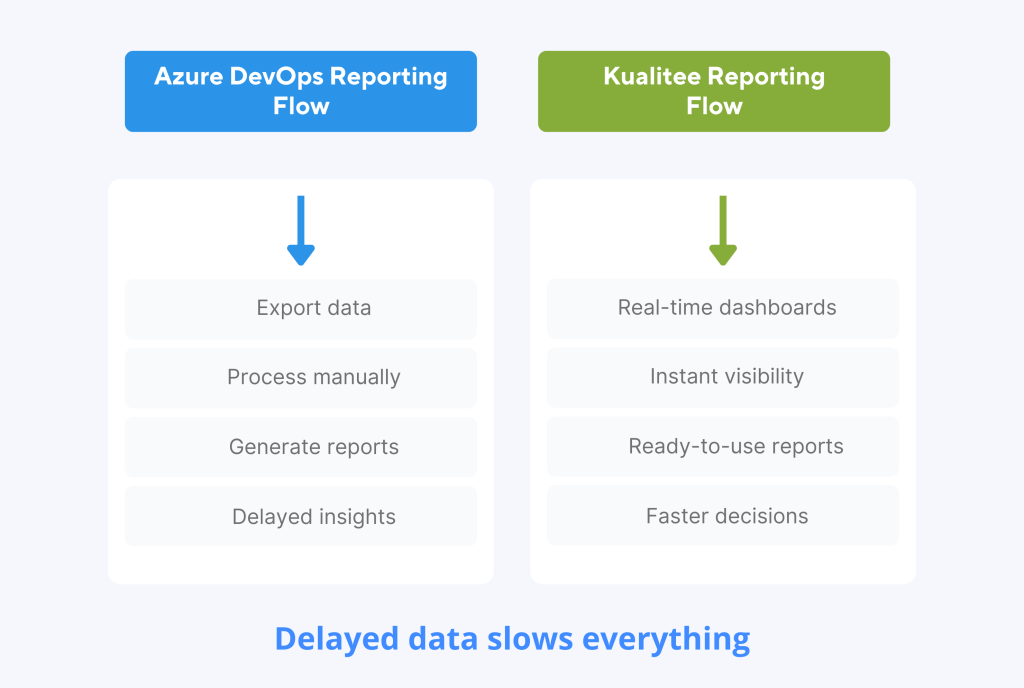
Reporting in Azure DevOps is relatively limited and often requires exporting data or integrating external tools to generate meaningful insights.
Teams frequently face:
- Lack of real-time dashboards for QA metrics
- Limited traceability between requirements, tests, and defects
- No built-in comparison of test cycles
- Delays in generating reports for stakeholders
This slows down communication and reduces the effectiveness of QA reporting.
Kualitee
Kualitee offers built-in dashboards, including global, project-level, and custom reports. Teams get clear visibility into their QA processes. It also provides real-time insights into execution progress, defect trends, and test coverage without needing external tools.
All this allows teams to quickly understand the current state of testing. As well as identifying issues early and sharing meaningful updates with stakeholders without manual effort.
What This Means
- Azure DevOps requires extra effort to generate insights
- Kualitee delivers ready-to-use reports and dashboards
- Stakeholders get faster and clearer visibility into quality
Better reporting leads directly to better decision-making.
See it in action with a Kualitee demo. Book now.
6. Centralized Repository: Scattered Data vs Single Source of Truth
Azure DevOps
In Azure DevOps, QA assets such as test cases, requirements, and defects are not fully centralized.
This can make it harder to maintain traceability and manage data efficiently.
Teams experience:
- Difficulty tracking relationships between assets
- Fragmented data across different modules
- Challenges during audits or reviews
Kualitee
Kualitee provides a centralized repository where all QA assets, including test cases, requirements, and defects, are stored and managed in one place.
This makes it easier for teams to maintain clear traceability across the entire testing lifecycle.
With everything organized within a single system, teams can quickly access, update, and track their testing assets. All without switching between different modules or tools. This simplifies management and improves overall visibility.
Over time, Kualitee helps you lead to better organization and easier audits. As well as more efficient handling of large and complex test suites.
What This Means
- Azure DevOps can create fragmentation in QA data
- Kualitee offers a unified and organized system
- Managing and auditing QA assets becomes easier
For regulated industries or large teams, this is a major advantage.
7. Integrations: Dependency vs Native Connectivity
Azure DevOps
Azure DevOps integrates with various tools, but often through third-party configurations. This adds complexity and increases the likelihood of synchronization issues.
Teams may encounter:
- Manual data syncing
- Inconsistent updates across tools
- Additional setup and maintenance effort
Kualitee
Kualitee offers native integrations with popular tools such as Jira, Slack, CI/CD pipelines and even Azure DevOps itself.
These integrations are built to work smoothly out of the box, without requiring complex setup or third-party connectors.
This allows teams to connect their QA workflows directly with development and communication tools. It’s ensured that updates, defects and test results flow across systems.
As a result, teams spend less time managing integrations and more time focusing on testing. They face fewer chances of data inconsistencies or manual syncing issues.
What This Means
- Azure DevOps integrations can add operational overhead
- Kualitee simplifies workflows with native integrations
- Data flows more reliably across systems
This results in a smoother and more efficient QA process.
Disconnected tools slow QA down fast. Explore the integrations offered by Kualitee.
8. Role Management: Generic vs QA-Focused Control
Azure DevOps
Role management in Azure DevOps is not specifically tailored for QA workflows. Permissions are often aligned with development roles, which can create confusion for testing teams.
This leads to:
- Misaligned access control
- Limited flexibility in defining roles
- Challenges in managing larger QA teams
Kualitee
Kualitee provides role-based access designed specifically for QA activities. It ensures that permissions align with how testing teams actually work. Teams can assign responsibilities clearly across test management, execution and reporting.
Not just that, teams can create custom roles based on their specific needs, giving them more control over who can access or modify different parts of the system.
This makes it easier to manage teams, maintain accountability and ensure that everyone has the right level of access. Without adding unnecessary complexity.
What This Means
- Azure DevOps offers limited control for QA-specific roles
- Kualitee provides structured and flexible role management
- Teams can operate more efficiently with clear responsibilities
9. Cost vs Value: Higher Spend vs Better ROI
Azure DevOps
Azure DevOps typically costs around $52 per user per month. While it provides basic testing capabilities, many of the features required for modern QA workflows are either limited or missing.
As a result, teams often rely on additional tools or manual processes to fill these gaps. Especially for reporting, reusability and deeper insights.
This increases not just the direct cost of the tool, but also the indirect cost in terms of time, effort and operational overhead.
Over time, teams experience:
- Higher total cost due to additional tools and integrations
- Increased manual effort for reporting and analysis
- More time spent managing workflows instead of improving quality
Kualitee
Kualitee, on the other hand, offers a more cost-effective pricing model at around $12 per user per month. It includes all the advanced QA capabilities that teams need. For example, AI insights, built-in reporting, and centralized test management.
Instead of requiring multiple tools, Kualitee brings key QA functions into one platform, reducing both cost and complexity.
Teams can manage execution, reporting, and analysis without additional overhead. The entire process becomes more efficient.
This leads to:
- Lower total cost of ownership
- Reduced dependency on third-party tools
- Less manual effort across QA workflows
- Better alignment between cost and value delivered
What This Means
- Azure DevOps comes at a higher price while offering limited QA-focused features
- Kualitee provides more complete QA functionality at a significantly lower cost
- Teams using Kualitee achieve better ROI through efficiency, not just pricing
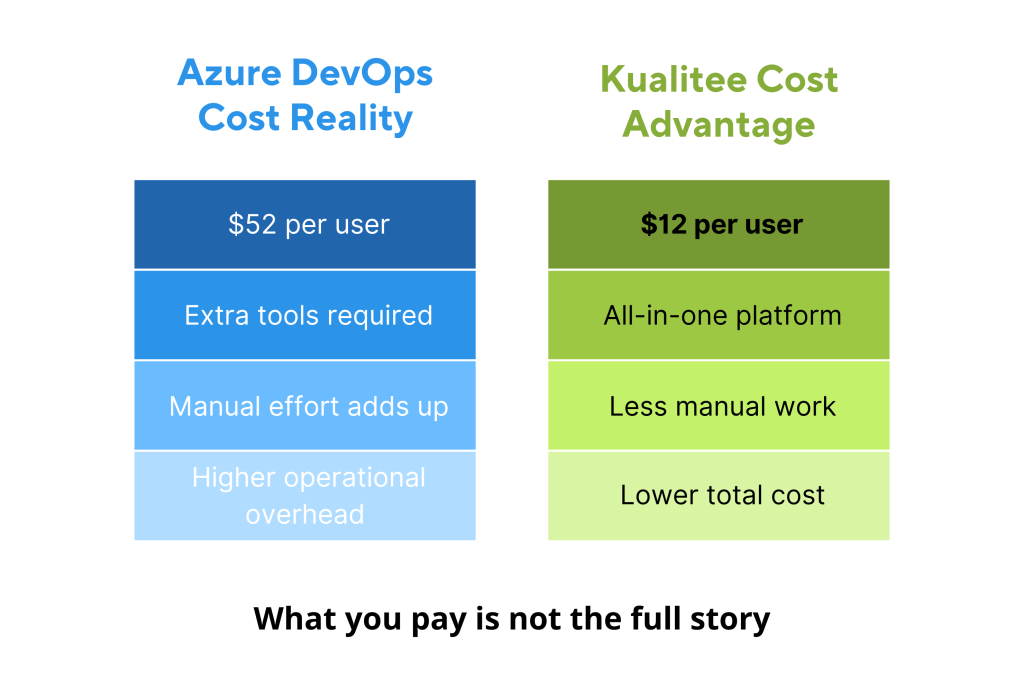
When evaluating QA tools, the real question is not just how much you are paying. But what are you getting in return?
Comparison Chart: Kualitee vs. Azure DevOps
| Feature | Azure DevOps Test Plans | Kualitee | Comments |
| Manual Test Case Execution | ❌ Requires launching Test Runner to mark step execution | ✔ Test steps are executed directly on one screen | Kualitee improves usability and reduces clicks/time. |
| Common Fields missing in test cases | Common preconditions are not available in Azure | Common preconditions are available | In Kualitee, users can quickly utilize common preconditions. |
| AI Test Case Coverage | ❌ Not available | ✔ Available | Kualitee tracks requirement coverage through AI. |
| Reporting & Analytics | ❌ Limited; no built-in defect, traceability, execution, cycle comparison, or schedule reports | ✔ Advanced dashboards, including the Global dashboard, project dashboard, custom dashboard, and reports, are available | Kualitee provides ready-to-use QA insights and reports for management. |
| Executive Summary through AI | ❌ Not available | ✔ Available | Kualitee offers concise QA summaries for leadership through AI. |
| Centralized Test Repository | ❌ Not available | ✔ Available | Kualitee maintains all test cases needed to be reused in one place. |
| Integrations | ❌ Only third-party tools (Jira, Asana, Trello, Teamwork) | ✔ Native integrations with Jira, Asana, Trello, Teamwork, Azure DevOps, Slack, CI/CD tools, and more. | Kualitee reduces complexity and manual sync errors. |
| Usability | Complex | User friendly | Kualitee is user-friendly. No complex configurations are required. |
| Custom Roles | ❌ Not available | Built-in roles as per test management processes, users can even create custom roles | In Azure, roles are not related to Test management, but in Kualitee, proper roles, along with custom roles, are available. |
| Price | $52/user/month | $12/user/month | Kualitee is budget-friendly. |
Final Perspective
Azure DevOps remains a strong platform for development. For teams with basic testing needs, it can still serve its purpose. However, as QA becomes more complex and central to modern software delivery, its limitations start to impact speed, visibility and overall efficiency.
Relying on a development-first tool for testing often means teams have to work around gaps. They have to manage additional tools and spend more time on processes rather than improving quality.
Kualitee takes a different approach by treating QA as a core function. It brings together execution, reporting, AI-driven insights, and centralized management into a single platform. Teams operate more efficiently without added complexity.
This is where the difference becomes clear. While Azure DevOps supports testing, Kualitee is built to optimize it.
Explore more of why teams choose Kualitee.
Frequently Asked Questions (FAQs)
Q1. Is Azure DevOps good for test management?
Azure DevOps works for basic test management, especially within development workflows. However, it can feel limited as QA needs grow, particularly in reporting, reusability, and execution efficiency.
Q2. What is the best alternative to Azure DevOps for QA?
QA-focused tools like Kualitee are strong alternatives. That’s because they are built specifically for testing and offer better reporting, structure and overall efficiency.
Q3. How does Kualitee improve test management efficiency?
Kualitee simplifies workflows by enabling faster execution, reusable components, and built-in reporting, helping teams reduce manual effort and stay consistent.
Q4. Why are AI features important in modern QA tools?
AI helps teams track coverage, identify risks, and generate insights quickly. It makes testing faster and more data-driven.