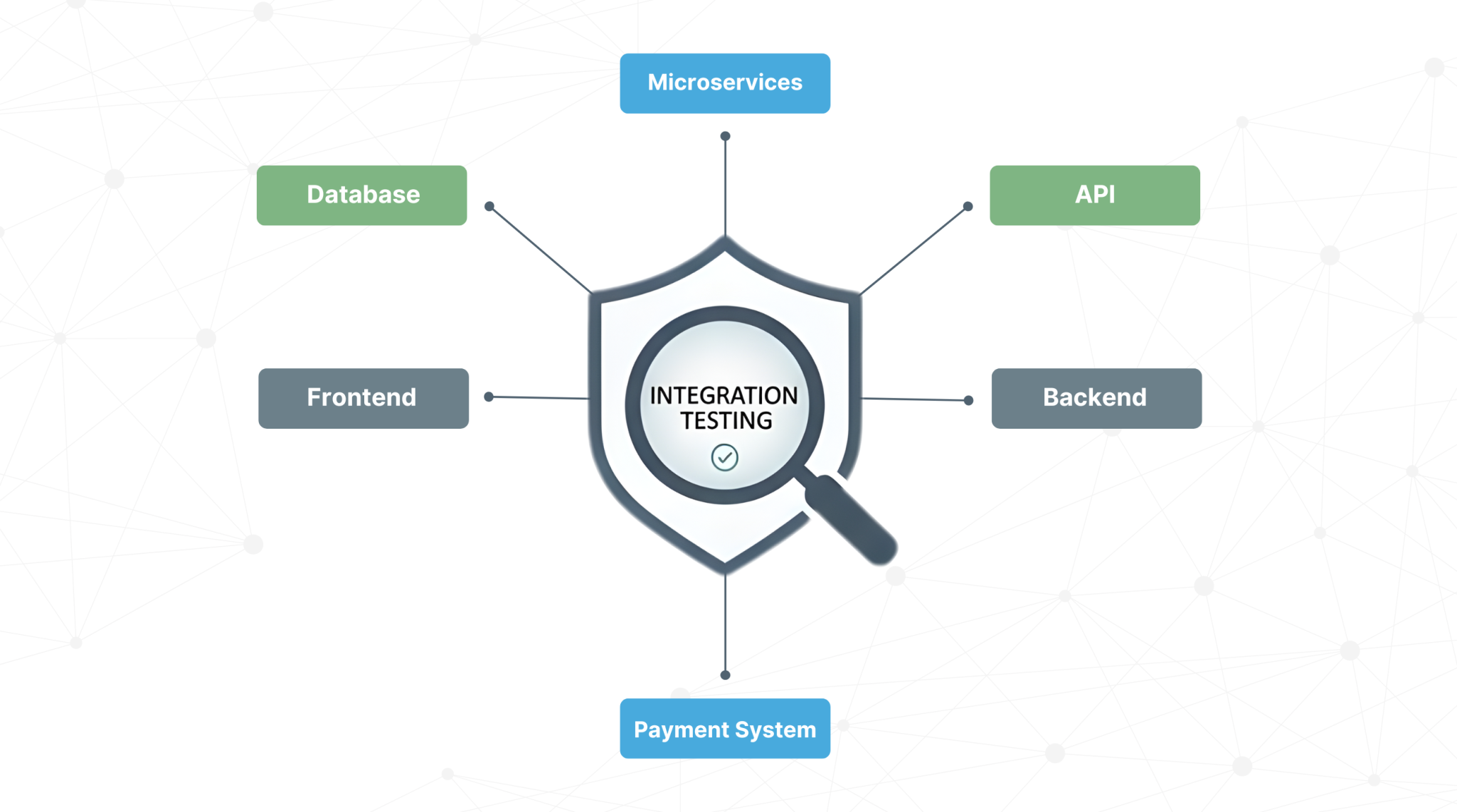
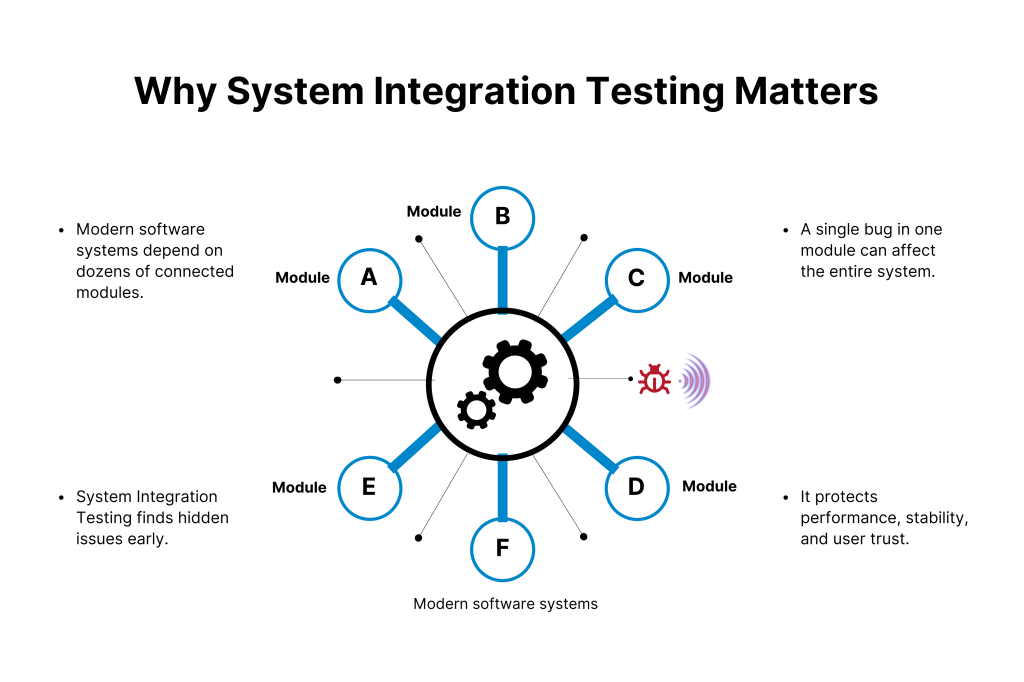
Modern software systems are so interconnected with each other that even a small bug in the integration process can badly impact the whole system.
That is why system integration testing is very important to ensure that all the system elements are working smoothly with each other. System integration testing uses real-world scenarios to help in detecting those hidden threats that can cause major failures.
This saves business time and cost and provides users with a reliable and bug-free experience. Never miss system integration testing if you want to make a secure, stable, and strong software system.
What is System Integration Testing?
System Integration Testing (SIT) is the process of understanding and checking how different software modules or systems work together as a whole. In unit testing, we check the working of individual software components, but SIT verifies the interactions, data flow, and communication between integrated parts of the software. It makes sure that they function properly together.
It is the best way to identify any issues or incompatibilities between modules. Testers can confirm that the entire system is performing as expected before moving forward to user acceptance or production. It helps catch integration bugs, data mismatches, and interface problems that could affect business operations or user experience.
Strengthen your system reliability with a unified testing workspace. Book a demo today and see how Kualitee supports structured integration testing.
Why is System Integration Testing Important?
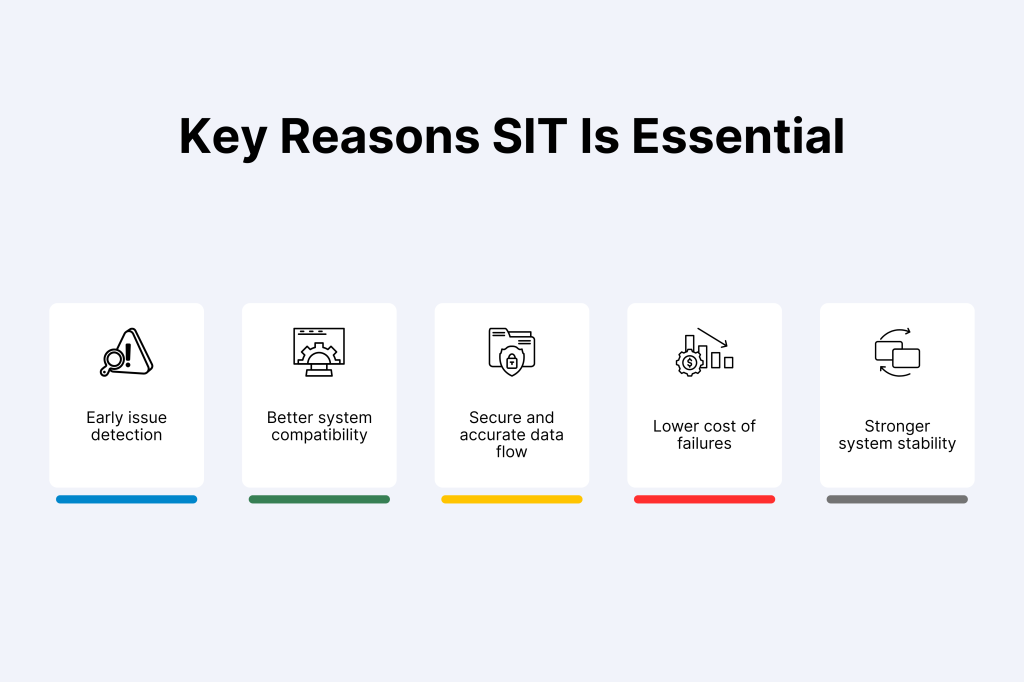
Complex business systems depend on System Integration Testing to run error-free operations. According to research, 70% of systems fail because of integration issues. Because of integration testing, we can verify that the changes we made on one system or module are not negatively impacting the other integrated systems. It tells us if system integration is compromising the system’s stability or not.
Compatibility issues are easy to identify and help businesses save costs by preventing costly downstream failures. The resource expenditure and debugging time also reduce with the help of testing. It also tells us how multiple systems are sharing data with each other, so we can catch security issues before they become a big problem.
If you do not perform System Integration Testing correctly, then the systems can crash unexpectedly. Your data can also get corrupted, or security can be hacked. These issues can destroy business operations and break user trust.
Benefits of System Integration Testing
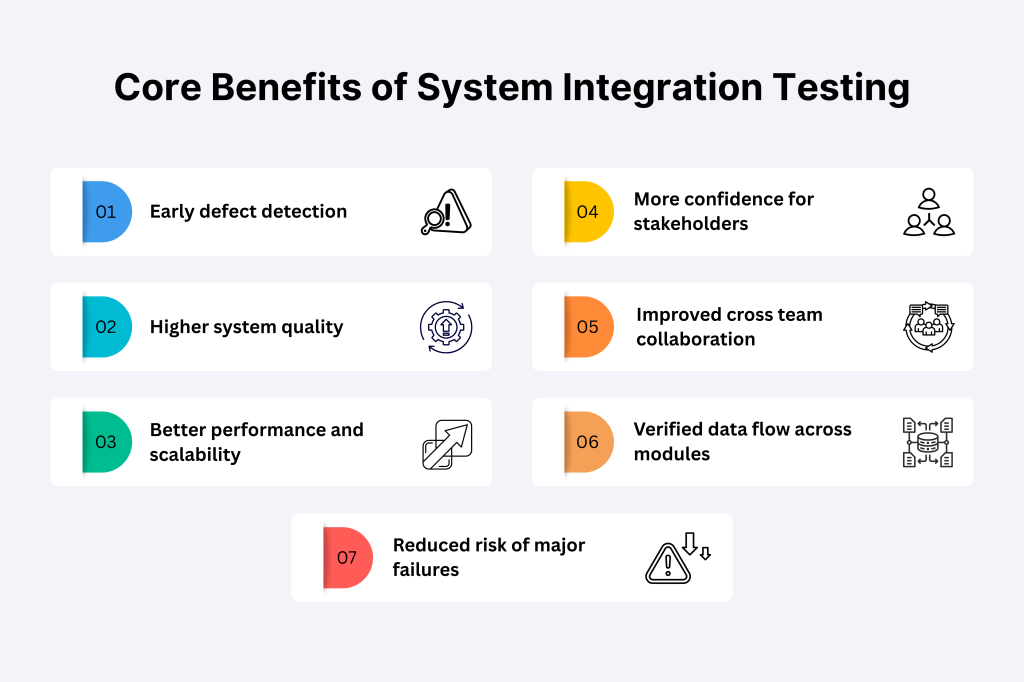
System Integration Testing is essential for any kind of software or business. Because it makes sure that all the models and systems work together without any trouble. The testing not only highlights the mistakes or errors, but in fact it saves time and cost too. Here are some other benefits of SIT:
1) Early Defect Detection
If there is any problem between different modules of the system, then SIT will detect it initially. Because of that, we need to fix them before they get into bigger problems. Fixing errors initially also saves us from future troubles.
2) Improved System Quality & Reliability
SIT also helps us check if all the integrated systems are working correctly with each other. It tells us about the quality, stability, and reliability, and helps us deliver a high-quality product.
3) Enhanced Performance & Scalability
Integration testing helps us understand performance bottlenecks. SIT also helps us detect any compatibility issues that may appear when scaling the system. It also gives us an understanding of whether our application can handle future growth without failures.
4) Builds Stakeholder Confidence
If a system passes the integration testing successfully, then the stakeholders will gain confidence that the integration is ready to face real-world conditions.
5) Promotes Team Collaboration
SIT also promotes team collaboration as it involves the development team, QA persons, DevOps, and business teams to communicate and perform tasks effectively.
6) Validates Data Flow
Accurate data flow between modules is very important. The integration testing verifies that data is passing correctly, consistently, and securely across all system interfaces. This will prevent any kind of data loss and corruption.
7) Reduces Risk of Major Failures
Accurate data flow is extremely important for the software. Here, SIT makes sure that the data is transferred to the right place, it is safe and secure, and there is no risk of corruption or any threat.
Track coverage, defects and stability from a single platform. Explore Kualitee’s features to manage integration risks with real clarity.
Entry and Exit Criteria for System Integration Testing
Entry and Exit Criteria help us understand when we should start System Integration Testing (SIT) and when we can mark it as complete. These criteria make the whole testing process very organized and easy to follow.
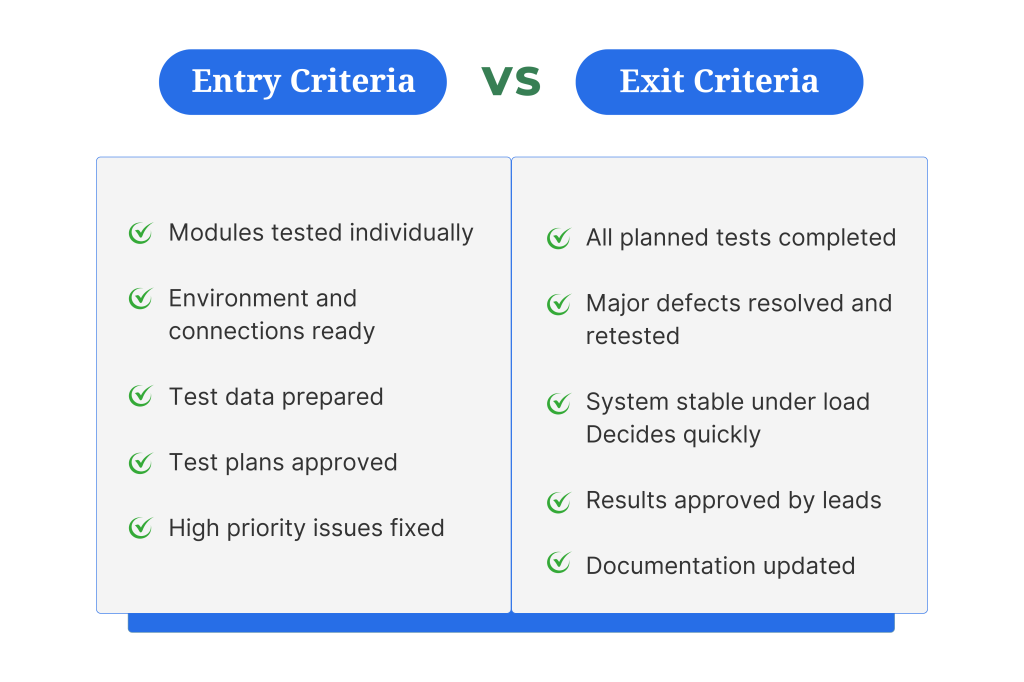
Entry Criteria
Entry criteria tell us which things we need to start the integration testing:
- Make sure to do unit testing and confirm that each module is working correctly on its own.
- You have to set up all the databases, networks, and servers before starting system integration testing to run everything properly.
- Finalize all the test data, including valid, invalid, and edge cases, before testing. Every report and detail needs to be available and prepared.
- The team has to review and approve all the test plans, scenarios, and test cases.
- Besides databases and networks, all the required system connections, APIs, and external services must be accessible for testing.
- If you have to use any testing tools or automated scripts, then prepare and make them ready to use.
- If there are high-priority bugs or critical errors, then fix them before starting system integration. Earlier phases need to be resolved first.
Exit Criteria
SIT is considered complete only when these conditions are met:
- Before ending, confirm that every planned integration, including all the test cases, has been run.
- Major defects, including high-priority issues found during the system integration testing, must be fixed and retested.
- Once all the tests are done, make sure that the system is working smoothly, speed is fine, and the system or servers stay stable under load.
- After getting results, get them checked and approved by the team leads and stakeholders after the completion of SIT.
- Complete documentation, including the test reports, results, and defect logs, is properly recorded and updated.
System Integration Testing Techniques
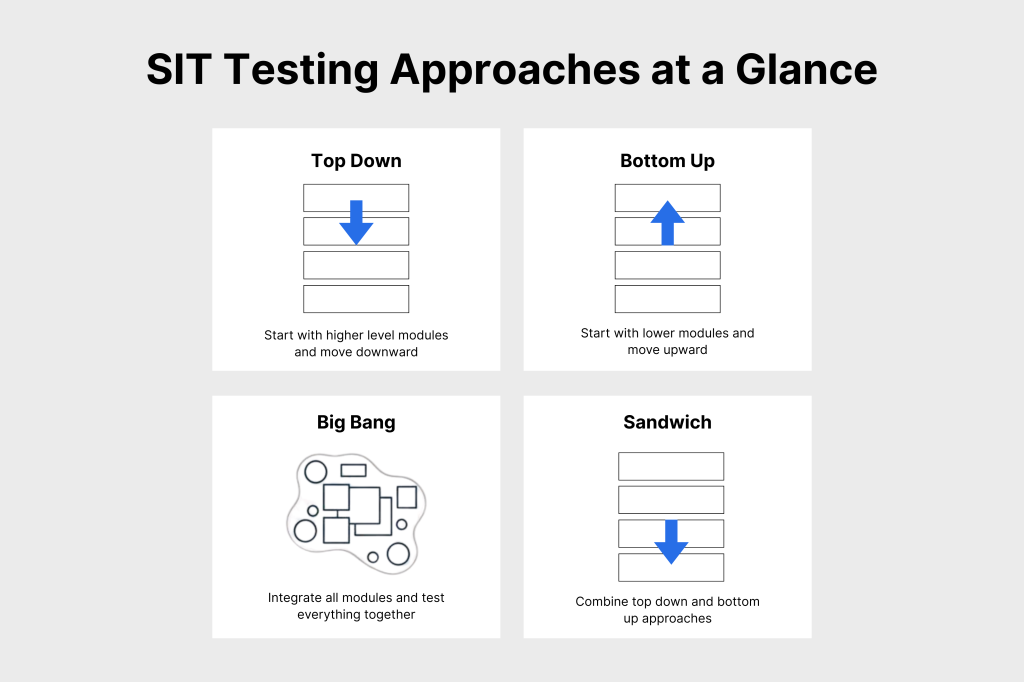
There are some techniques to perform System Integration Testing (SIT). You can use any of these techniques to verify the interactions between different modules or components of a software system. The primary goal is to get results where all the integrated components function together as expected. Teams can use various techniques to perform SIT, including:
1) Top-Down Integration Testing:
In this method, we start testing from the highest-level module and then gradually move downward. In some cases, the lower-level modules are not developed, then we can use studs in their place. The major benefit of this method is that we get to know the problems related to the bigger design, so that we can fix the whole system in an efficient way
2) Bottom-Up Integration Testing:
This method is the opposite of the top-down approach. Testing starts from the lowest-level module and then moves upwards to the highest one. If initially the higher-level modules are not ready to perform testing, then we can use drivers in their place.
These drivers are the tools or codes that perform tasks on behalf of higher-level modules. This method is best for those units where the foundation modules are very important. Every lower-level module can be tested separately before being integrated to make the base strong.
3) Big Bang Integration Testing:
This is a non-incremental way in which we test all the models together at a time. All the modules are integrated, and the whole system gets checked. In the beginning, the setup runs fast because we do not have to do integration on different levels. But it also makes it difficult to find errors when all the modules get integrated. This works best for small systems as it will not take much time. IT can be a fast way to do testing, but finding errors can become difficult.
4) Mixed (or Sandwich) Integration Testing:
In Hybrid Integration Testing, we integrate both higher and lower-level modules at a time and perform testing. In this way, intermediate modules also start integrating incrementally. The important parts of both levels of the system get done by testing in the beginning. It’s easy to find out all the critical features of both ends, so we resolve them on time. Stubs and drivers are also used in this method.
5) Incremental Integration Testing:
This is a general category that includes the nature of top-down, bottom-up, and mixed approaches. Here we integrate and test modules in small, manageable increments rather than all at once. This systematic integration helps in isolating defects and simplifies the debugging process. All this leads to a more robust and reliable system.
Reduce testing effort and improve release confidence instantly. Sign up for free and experience smoother integration cycles with Kualitee.
How to Perform System Integration Testing
Performing System Integration Testing (SIT) requires a clear and simple process, so every part of the system can be tested properly. Below is the complete process explained in easy and routine wording:
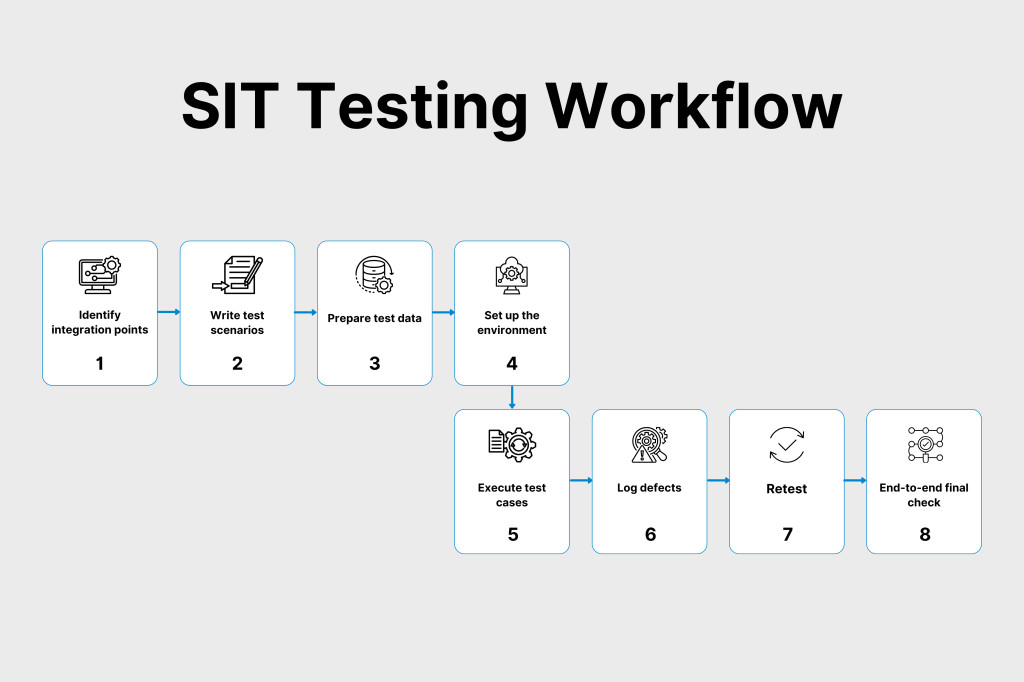
1) Identification of Integration Points
First of all, we have to identify the integrated points of the system to check where the modules are connected with each other. Mainly, these can be data transfer points, APIs, communication links, and shared files. Once we understand the points, we get to know where we have to perform testing.
2) Making Test Scenarios
On the basis of these points, you have to get ready for tests on real ground, like how the system will work in a normal way, what will happen if there is a mistake, and what to do if the system behaves unpredictably.
3) Prepare Test Data
Make a data report that must include the accurate data, wrong data, missing data, and extreme values. That will help us understand how the system is behaving on such points.
4) Set Up the Test Environment
Build a test environment that behaves like your real production system. This includes servers, databases, networks, software tools, and connections with third‑party systems. A realistic test environment will give accurate results.
5) Execute Integration Test Cases
Now run the test scenario that we made, either manually or by using automation tools. The testing tools are mainly used when the system is on a large scale.
6) Log and Track Defects
If you find any problems or errors, then mention them prominently by explaining what happened, how it will happen again, or what should have happened instead. Use the defect tracking tools so that the team can fix the problems.
7) Re‑test After Fixes
Once a problem is fixed by the developer, you have to test it again to make sure that nothing is wrong and everything is working smoothly. Also, check and confirm if any integrated module or unit is not affected after the fixation.
8) Perform End‑to‑End System Testing
Lastly, test the whole system again from one end to the other to clarify if the integration is working fine. All the links, APIs, and modules are not causing any trouble. And the system is ready for future steps like UAT or production. This helps teams build reliable, stable, and well‑integrated software systems.
Streamline your execution process and keep every integration point in check. Use Kualitee to manage SIT flows end-to-end with automation and dashboards.
Best Practices for System Integration Testing
Following best practices in System Integration Testing (SIT) helps teams test systems more effectively and ensures smooth communication between different software modules. Here are the best practices explained in simple, clear, and easy wording:
Establish Clear Goals and Scope
Before starting the system integration testing, it is important to decide what tests we have to perform and which modules we will include while testing. That will help the team to work in one flow without any confusion.
Design Comprehensive Test Cases
Create complete and detailed test cases that cover all major integration points. These test cases should include normal scenarios, error situations, and how systems should behave when something goes wrong.
Use Realistic Test Data
Always use test data that looks and behaves like real data. It is a good way to detect issues that only appear when the system handles real‑world information.
Automate Repetitive Test Cases
Some test cases may run again and again. Automating these tests will save time, increase efficiency by up to 80%, reduce manual effort, and improve accuracy. It also supports continuous testing.
Test Early and Continuously
Start SIT at the initial stage rather than waiting for the entire system to be built. Continuous testing helps identify and fix issues early before they grow into major problems.
Monitor System Performance
Track the performance of the system while testing by tracking the key metrics like speed, response time, and resource usage. It will also give you the clarity that everything works smoothly under load.
Document Test Results Completely
Always document every step to help you with the analysis, reporting, and future testing. You can include the test steps, results, defects, screenshots, logs, and how issues were fixed.
Re‑test After Fixes or Updates
It is an important rule to test every bug or module after its fixation. This ensures the fix worked and no new issues were added.
Encourage Cross‑Team Collaboration
SIT works best when developers, testers, business analysts, and DevOps teams communicate openly. Collaboration helps solve issues faster and avoids misunderstandings.
Prioritize Testing Based on Risk
Choose to test the high-severity and high-priority bugs first. Also, focus on those modules that can cause a high-level bad impact on the business if they fail.
Common Challenges in System Integration Testing & How to Overcome Them
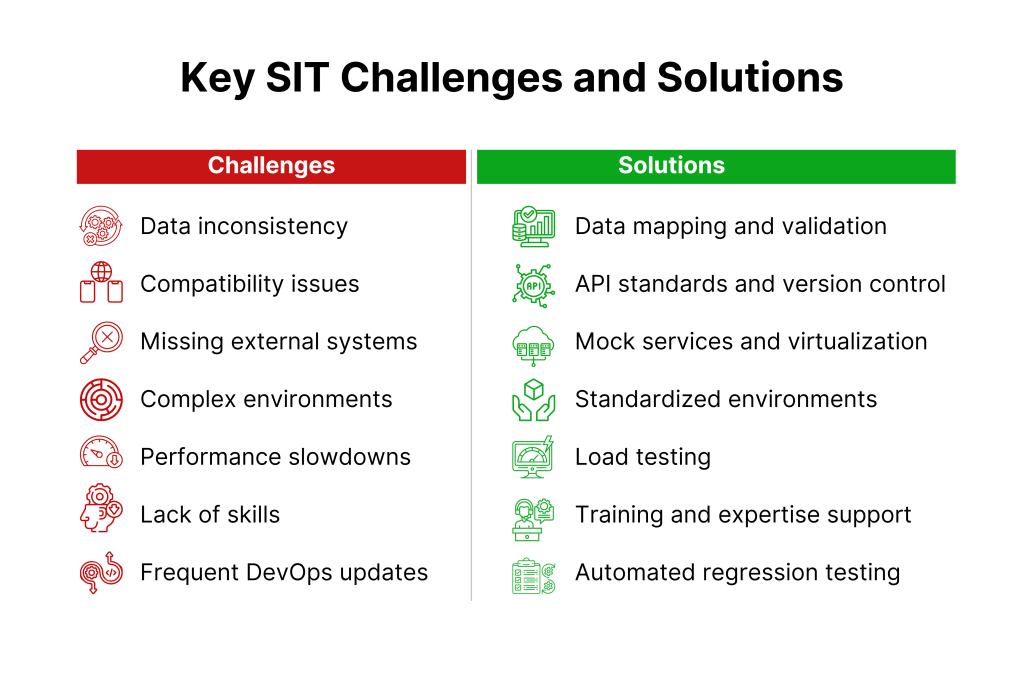
System Integration Testing (SIT) can become challenging because multiple systems, technologies, and teams are involved. Here are the most common challenges and simple, clear solutions to overcome them:
1) Data Inconsistency
Different systems may use different data formats, structures, or naming styles. This causes issues when data moves between systems. To fix these issues, you can do a complete data audit before starting SIT. Also, create a proper data mapping plan, so every system understands the data correctly.
Besides that, use data transformation tools to fix format differences and add data validation checks at each integration point. You can also use automated scripts to set up and reset test data to keep it consistent. A Deloitte survey found that 56% of organizations consider integration complexity a major issue in achieving successful digital transformation.
2) Compatibility & Interoperability Issues
Systems may use different technologies, APIs, or communication methods, which can cause integration failures. Use standard communication protocols for smooth interaction or implement API versioning to avoid breaking changes. You can also fix this by using middleware to help systems connect better. Also, review the API documentation carefully before integrating.
3) Complex or Inconsistent Test Environments
Setting up the right test environment for SIT can be difficult because many systems must be connected. Service virtualization will help to simulate unavailable modules. You can standardize environment setups so that every test runs in a stable environment. Automating environment creation and teardown is also a solution to fix it.
4) Unavailability of External Systems
Sometimes, third‑party systems or internal modules are not available during SIT. Service virtualization or mock services will simulate external systems and continue testing.
5) Performance & Scalability Issues
Systems may slow down or fail under heavy user load. Perform load and performance testing during SIT and monitor system behavior to catch bottlenecks. Also, optimize weak areas before production.
6) Lack of Expertise
Some teams may not have enough technical or functional knowledge to handle complex integrations. Provide training to team members or work with experienced integration specialists when needed.
7) Agile/DevOps Challenges
Frequent updates and rapid development cycles can break integrations. Use automated regression testing to quickly test all integration points. Include SIT in the CI/CD pipeline to catch issues early.
These solutions make the integration testing process smoother, more accurate, and much more reliable.
Planning Your Integration Testing Process
Planning an integration testing process helps ensure that all systems and modules are tested smoothly and correctly. Here are some steps you should take while planning the integration process:
1. Define Scope
The first thing is to finalise the scope by deciding what modules and systems are needed to get tested. Identify the interactions and data flows and set the entry and exit criteria.
2. Select Testing Techniques
Second is to select the right method that suits your system type. For example, the big bang method is used to test all the models together, a top-down approach, starting from the higher level and then testing stubs. The bottom-up method starts by testing the lower-level modules and then testing drivers. But if you want a mix of both bottom-up and top-down approaches, then you can choose the sandwich method.
3. Identify Test Environments
Now you have to decide the kind of environment you need for testing. This includes hardware, software, network setups, databases, tools, and configurations. Make sure this environment matches your actual production environment as closely as possible. Identify and plan for external dependencies like third‑party systems.
4. Prepare Test Data
Use realistic data that includes the valid, invalid, and edge cases. It is important to secure the sensitive data.
5. Assign Responsibilities
Lastly, you have to decide on assigning responsibilities to the team. Assign tasks of lead testing, fixing errors, tracking defects, writing and running test cases, and managing communication to the relevant team
6. Defining Test Cases and Data
Defining test cases and test data is a very important part of System Integration Testing. It helps ensure that every system interaction works correctly and that nothing is missed.
Popular Tools and Technologies for Integration Testing
Different tools are used to make the system integration testing easy, fast, and more accurate. All the tools have different characteristics that help in the handling of different parts of the systems more efficiently.
- Postman is the most widely used tool for API testing. It checks the data flows among different servers. It helps to test API requests, responses, and integration easily.
- For unit and integration testing in Java-based projects, testers use JUnit and TestNG. It helps them automate test execution.
- Selenium is used to test the front-end and back-end of web applications. It takes action on UI to check the response and see if the user interface and server are performing correctly with each other.
- Apache JMeter is used to test integration systems’ load, stress, and performance. It ensures that integrated systems can handle real‑world traffic.
- Jenkins CI/CD is an important tool in automating continuous integration and continuous delivery pipelines. It makes integration testing a regular and repeatable part of the development process.
- ReadyAPI is an advanced tool to do advanced and complicated API testing, security scanning, load, and functional testing. It does complete integration service testing.
Roles and Responsibilities in System Integration Testing
Multiple teams work together to perform system integration testing to build better results and complete the task on time. Every team member is responsible for checking if the system is working correctly by checking it both technically and on a business level.
QA Engineers:
QA engineers are responsible for developing and running integration testing cases. They test the integration of different parts of the system, fix all the available defects, and document them correctly. They guide the developer about the fixation to make sure everything is done on time.
Developers:
Developers are responsible for understanding the defects that are quoted by the QA team. They fix those issues and help the QA team with the retesting of all these issues. They play an important role because they make sure that the system’s different components are working correctly.
Business Analysts:
Check if the integrated system is according to the business requirements. They also validate the workflow, data flow, and user journey. They make sure that the system is fulfilling the business requirements to get the expected outcomes.
DevOps Engineers:
DevOps Engineers manage and configure the test environments used for SIT. They configure servers, networks, deployments, and system connectivity. Their task is to make sure the environment is stable and similar to production.
Project Managers:
Project managers coordinate the whole SIT process by managing timelines, monitoring progress, assigning responsibilities, and ensuring proper communication among the team. Their leadership helps keep the testing process organised and efficient.
Future Trends in System Integration Testing
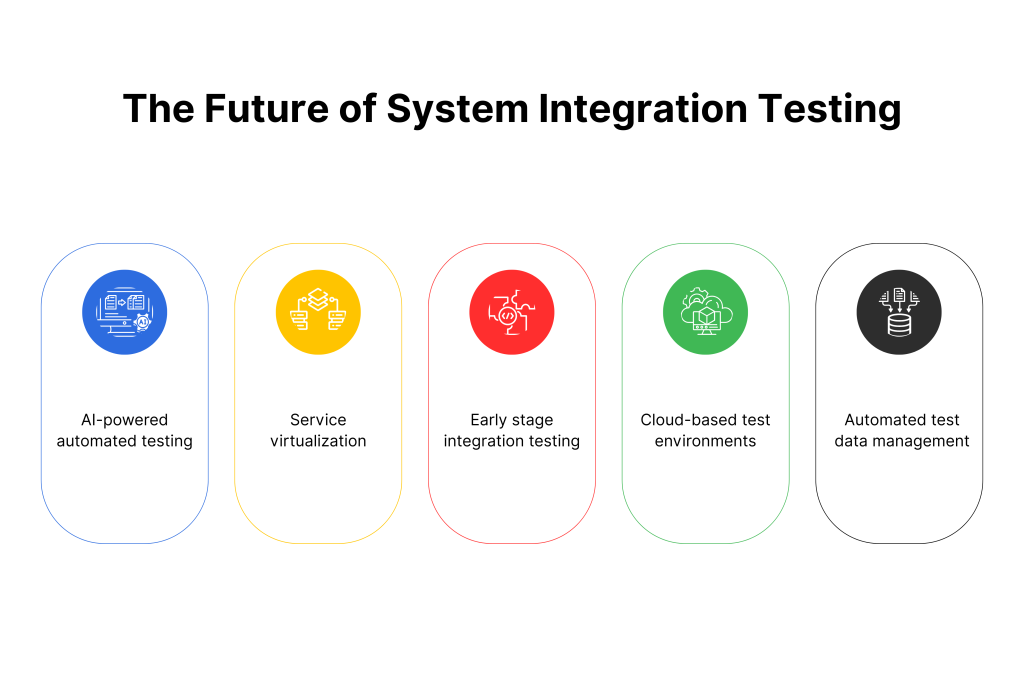
System Integration Testing is continuously evolving with the advancement of software systems. Some important considerations are coming forward to make SIT more efficient.
AI-Based Testing Automation
The usage of AI-based testing automation is increasing with the complexity of software systems. They benefit the testers by predicting failures early, automatically detecting the integration issues. They help us create better test cases that other, less advanced tools might miss. We are able to get accurate and faster results with the help of AI automation.
Service Virtualization
Besides that, the usage of service virtualization has also increased. Mostly, why does it happen that APIs, external services, or system access are unavailable during testing? This makes SIT more flexible and helps testers continue their work without waiting for the systems to be ready.
Early Integration Testing
Earlier, the integration testing was done at the end, but now companies have started doing it initially to detect problems in early stages and save costs. That is how the end results of the software do not include that many errors, and the quality also gets better.
Cloud-Based Testing
Also, with the advancement, most companies are shifting to the cloud, so now cloud testing has also become important. That helps to scale the testing environment, and distributed systems are tested on real grounds. They also get better integration using cloud services and tools.
Automated Tools
Besides all these improvements, there is another one, which is the use of automated tools. Before these tools were introduced, data was entered manually, which used to take extra hours and also included human errors. Now, with the help of automation, the testers automatically test, refresh, and manage data. The accuracy level has also increased after the integration of automated tools. All these future trends are making SIT better, stronger, and trustworthy.
Conclusion
System Integration Testing plays an important role in understanding that all the running modules of the software are running correctly with each other without any issues. The development teams make sure that component integration is strong, data flow is smooth, and all the features are running without disturbing the other features of the software. The major benefit is to catch system problems before they even occur; the software quality gets better, the product gets finalized for real-world usage, and the system becomes more secure, stable, and scalable.
Use Kualitee’s requirement traceability to connect every test with real business needs. Bring full visibility to your integration testing.
FAQs
1. What is System Integration Testing in software testing?
System Integration Testing (SIT) is a phase in the software testing lifecycle that focuses on verifying interactions and interfaces between different components, modules, or systems.
2. What are the four types of integration testing?
The 4 main types of integration testing are Big Bang, Top-Down, Bottom-Up, and Sandwich (Hybrid) integration testing.
3. What is an example of integration testing?
An example of integration testing is to test the e-commerce checkout process. We have to make sure that the cart, product catalog, and payment gateway are integrated together.
Check if the prices of the items available in the cart are correctly coming from the product catalog. Also, if the order is generated correctly after the payment is done.
4. What is System Integration Testing vs UAT?
The QA team or development team uses system testing to check if the system’s different modules are working fine with each other.
However, UAT is done by stakeholders, business users, or clients to check if the system is fulfilling business requirements properly.