Tricentis Tosca

Managing automated and manual testing in silos can slow down your release cycles. By integrating Tricentis Tosca with Kualitee, you bridge the gap between automation execution and test management.

Empower your QA teams to trigger complex automation suites without switching tools, ensuring that every execution result is recorded, tracked, and reported instantly within Kualitee.
image
img

Key Benefits of the Integration

  • One-Click Execution: Initiate your Tricentis Tosca test suites directly from the Kualitee interface—no need to toggle between platforms.
  • Real-Time Synchronization: As soon as your Tosca tests finish, the results are automatically updated in Kualitee, keeping your reports current.
  • Centralized Reporting: View manual and automated test results side-by-side to get a 360-degree view of your project’s quality.
  • Automated Cycle Management: Kualitee automatically creates test cycles for your Tosca executions, saving you the manual effort of logging results.
  • DEX Server Support: Leverage your existing Tosca Distributed Execution (DEX) setup for scalable, high-speed test runs.


How it Works: Seamless 2-Way Connectivity

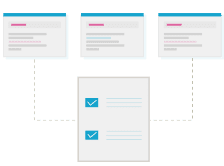
Kualitee communicates directly with your Tosca DEX Server. Once configured, your project mapping ensures that every test case executed in Tosca is accurately reflected in the corresponding Kualitee project and test cycle.

img

Step-by-Step Integration Guide

Setting up the Tricentis Tosca integration is quick and requires zero coding.

1. Create the Integration

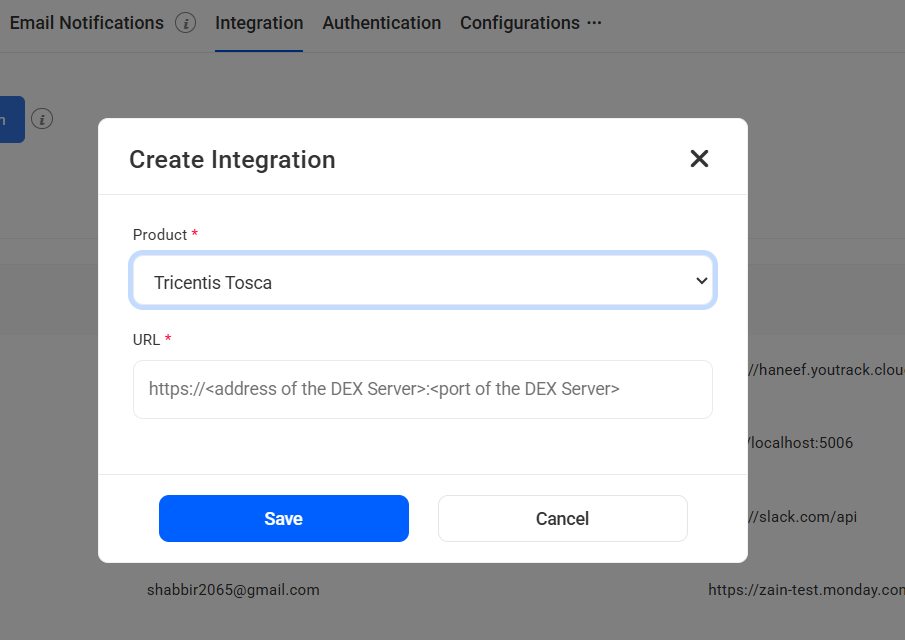
Navigate to Settings > Integration from the top navigation bar. Click the ‘Create Integration’ button and select Tricentis Tosca from the dropdown menu.

2. Connect Your DEX Server

Enter the Address and Port of your Tosca Distributed Execution (DEX) server. Click Save to establish the connection.

3. Map Your Projects

Click the Edit icon on the integration you just created. Select Map Project, choose ‘Basic’ as your integration type, and link your specific Tosca projects with your Kualitee projects.

4. Execute and Sync

Head to Test Cycle Management > Test Cycles. Simply click the “Automation Tools” button to trigger your Tosca test cases. Kualitee will automatically create a cycle and populate it with real-time execution results.


Ready to Supercharge Your Automation?

Stop wasting time on manual data entry between tools. Combine the power of Tricentis Tosca’s automation with Kualitee’s robust test management today.