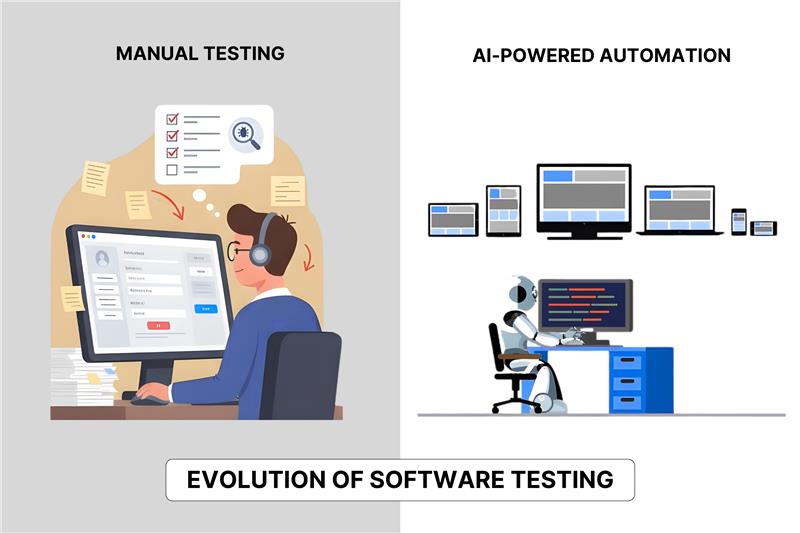
Let’s be honest. You may be sick of hearing about AI if you work in QA. Why? Because there is too much hype for you. It feels like every tool promises a ‘magic button’ to fix your bugs, but in reality, you are still stuck maintaining flaky scripts.
People think software testing and artificial intelligence will solve all your problems overnight. They also think robots will replace employment, which is worse. Too much. Hand-checking may make you feel like you have too many tools or are out of practice.
You’re not by yourself. The truth is less scary and more useful.
It’s not meant to replace users; AI is just here to do dull jobs. It finds trends that were missed. Doesn’t have time to write code. Not a replacement, but a copilot.
This guide gets to the point quickly. We’ll talk about AI and why it’s the most important change since machines took over jobs this time.
The Evolution of Software Testing: From Manual Methods to AI-Driven Approaches
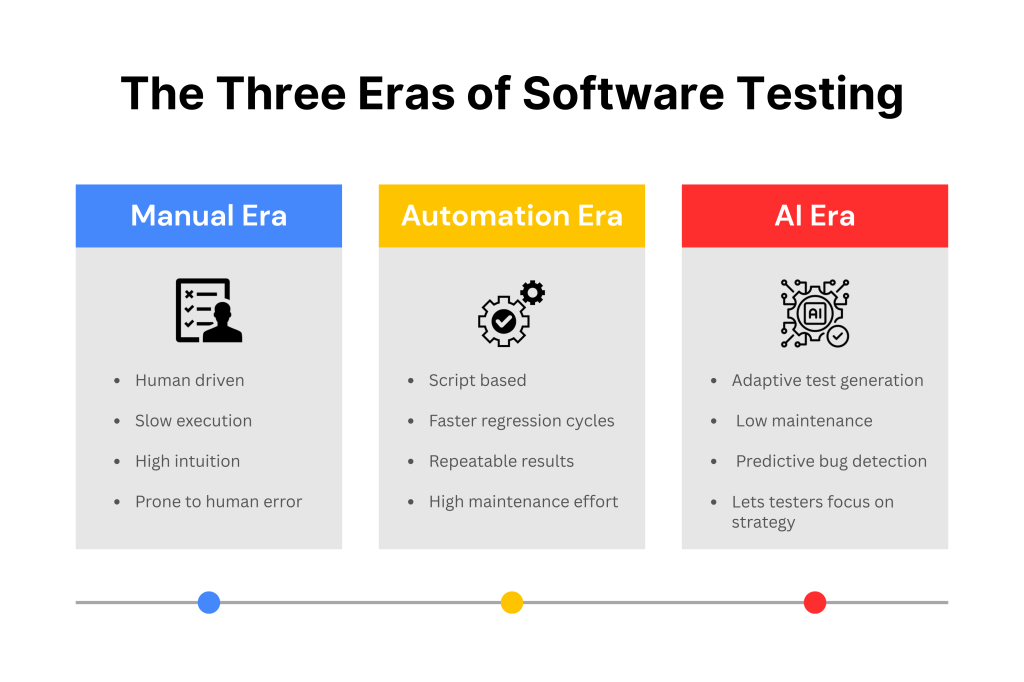
To fully understand the present meeting of software testing and artificial intelligence, we must examine how we got here. The history of testing has three main eras.
1. The Manual Era
At first, everything was done by hand. The testers sat in front of screens and clicked through all the different user flows.
- Pros: High human intuition. Testers could spot “weird” things that weren’t in the requirements.
- Cons: incredibly slow. Expensive. Prone to human error after long hours.
2. The Automation Era
Then came scripts. We wrote code to test code. Tools like Selenium became the standard.
- Pros: Faster regression testing. Repeatable results.
- Cons: High maintenance.
3. The AI Era
This is where we are now. “Automated” is becoming “self-driving.” AI tools might be able to make their own tests, fix bugs when the code changes, and guess where bugs might be hiding.
- Pros: Low maintenance. Incredibly fast. Allowing testers to focus on strategy.
- Cons: New skills required. Skepticism about ROI.
The jump from automation to AI is significant. It is the difference between a map and a GPS. Both will get you there, but one will let you know right away if there is traffic.
Understanding AI in Software Testing: Definitions, Concepts, and Key Terminology
You don’t need a data science PhD to use these tools, but you should know the terms. Here are key notions.
Artificial Intelligence (AI)
This is the big umbrella term. It means getting a computer to do things that usually require human intelligence. In testing, this includes visual recognition, reading text, and making decisions.
Machine Learning (ML)
This is a section of AI. That’s how the machine picks up new things. It learns patterns from the information you offer it, such as old bug reports.
- Supervised Learning: You tell the AI what to do. “This is a bug, this is not a bug.” The AI learns more and can now tell the difference.
- Unsupervised Learning: Since there are no names on the data that the AI looks at, it can find strange trends on its own. It’s fun to find strange things in speed tests this way.
Neural Networks
Think of this as a computer brain. It processes information in layers, much like our neurons do. People typically use this in Visual Testing to look at screenshots and see if a visual issue is a bug or merely a design change.
Natural Language Processing (NLP)
This is very big for 2025. With NLP, you can write tests in everyday English. Use simple language instead of code and write “User logs in and clicks the buy button.” The AI wrote the code and ran it. This makes it easier for human users who are afraid of code to join.
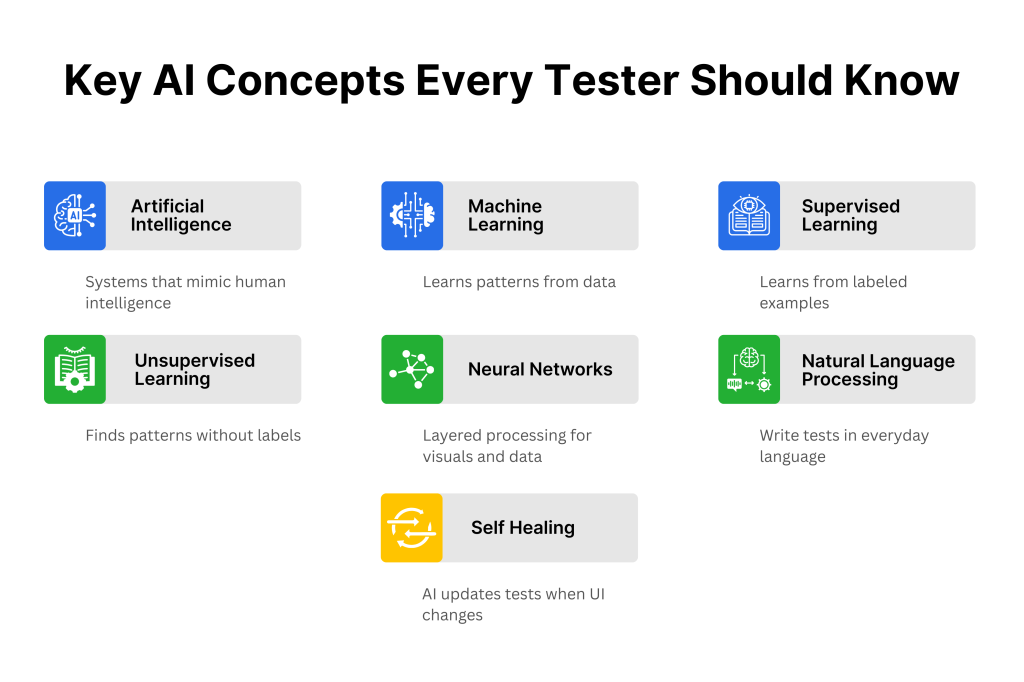
Note: You might see terms like “Self-Healing.” This simply means that if an element ID changes, the AI uses other attributes (like text or location) to find the element and update the test automatically.
The Waves of Innovation in Testing: From Vendor Lock-In to AI That Actually Works
The market for testing tools has shifted dramatically.
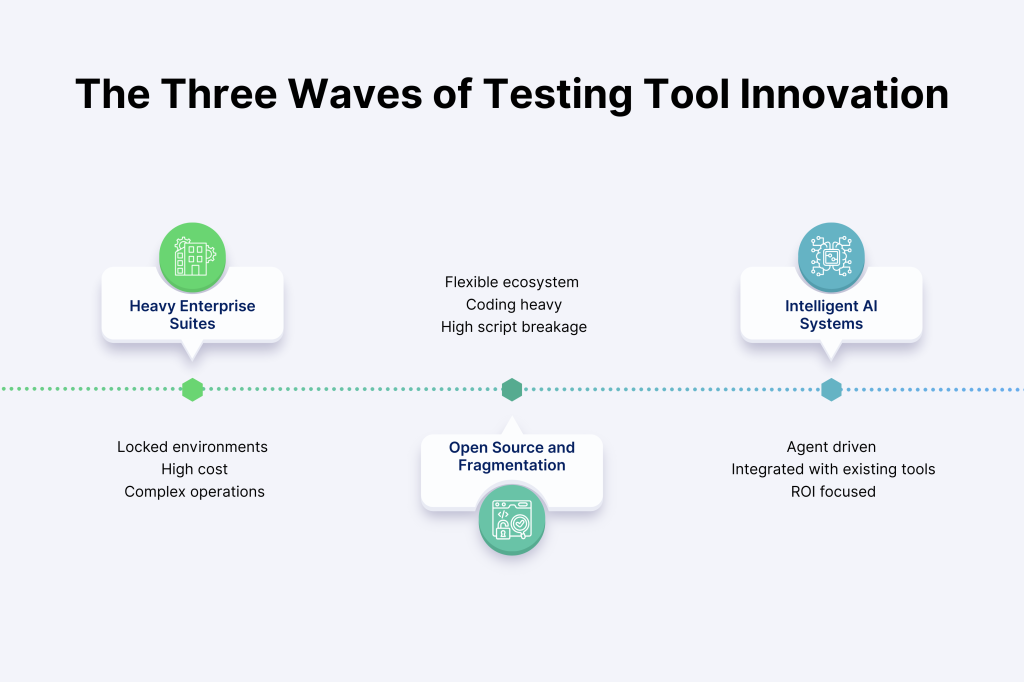
Wave 1: The Heavyweights
Years ago, major sellers sold huge, pricey suites. You were “locked in” their habitat. These strong instruments were cumbersome. Operating them requires specialists. If you left, you couldn’t take your data.
Wave 2: Open Source & Fragmentation
Selenium and Appium followed. They were adaptable. But they needed considerable coding. All QA testers had to be developers now. Teams had hundreds of fragile scripts that broke often, creating “technical debt” issues.
Wave 3: Intelligent, Agentic AI
The third wave is now here. These systems are run by AI and put user-friendliness first.
- They work with the tools you already have, like Jira, CI/CD, and Slack.
- You are not forced to learn a secret language.
- Value is important to them.
Many QA managers have “tool overload”—this wave handles it. Need 10 tools? No more. Modern AI systems include functional, visual, and performance testing. Their goal is to assist, not to impose regulations. This is done through counsel.
This shift is crucial because it focuses on ROI (Return on Investment). It’s not about using AI because it’s cool. It’s about using AI because it cuts your regression testing time from 3 days to 3 hours.
Benefits and Challenges of Implementing AI in Software Testing
You should think about the good and bad things of getting new tools before you do. It’s not magic. It’s technology that brings together software testing and artificial intelligence.
The Benefits
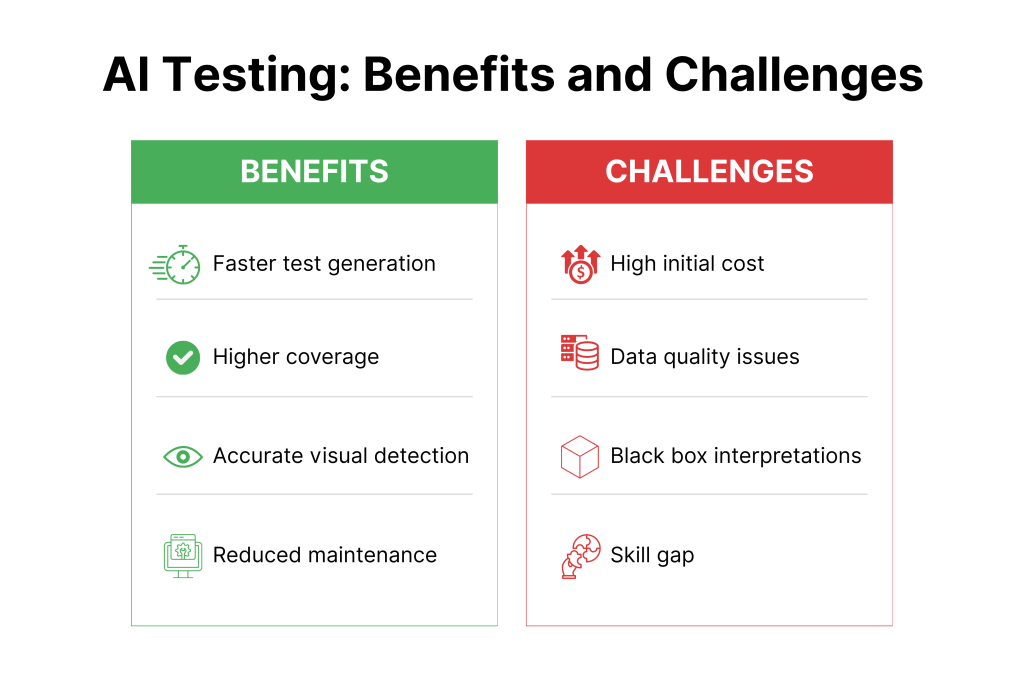
- Speed: AI can generate test cases in seconds. What used to take a human all day can be drafted by an AI agent instantly.
- Visual Accuracy: AI sees pixel-perfect distinctions humans miss. AI catches logos 2 pixels off-center.
- Better Coverage: AI can run thousands of tests on different devices simultaneously. It ensures you cover edge cases you might forget.
- Reduced Maintenance: With self-healing scripts, you stop fixing broken tests and start finding actual bugs.
Start your workspace now and explore without commitment. Sign up for free and see how Kualitee handles AI test creation in real time.
The Challenges
- Initial Cost: AI technologies might cost more at the beginning than free libraries that anybody can use.
- Data Quality: The data you provide to AI determines how good it is. Your AI predictions will likewise be messy if your historical data is sloppy.
- The “Black Box” Problem: AI can find a bug, but you don’t know how it got there. It can be hard to debug the AI’s path.
- Skills Gap: You don’t have to be a coder, but you do need to know how to “prompt” or tell the AI what to do. This new technology has to be learned by teams.
Bottom line: Usually, the rewards are greater than the problems if you have a clear plan. Don’t simply purchase a tool and cross your fingers.
Types of AI in Software Testing: Functional, Security, Performance, and Beyond
AI isn’t a “one size fits all” tool. It applies differently depending on what you are testing. Here is how it breaks down across the main testing categories.
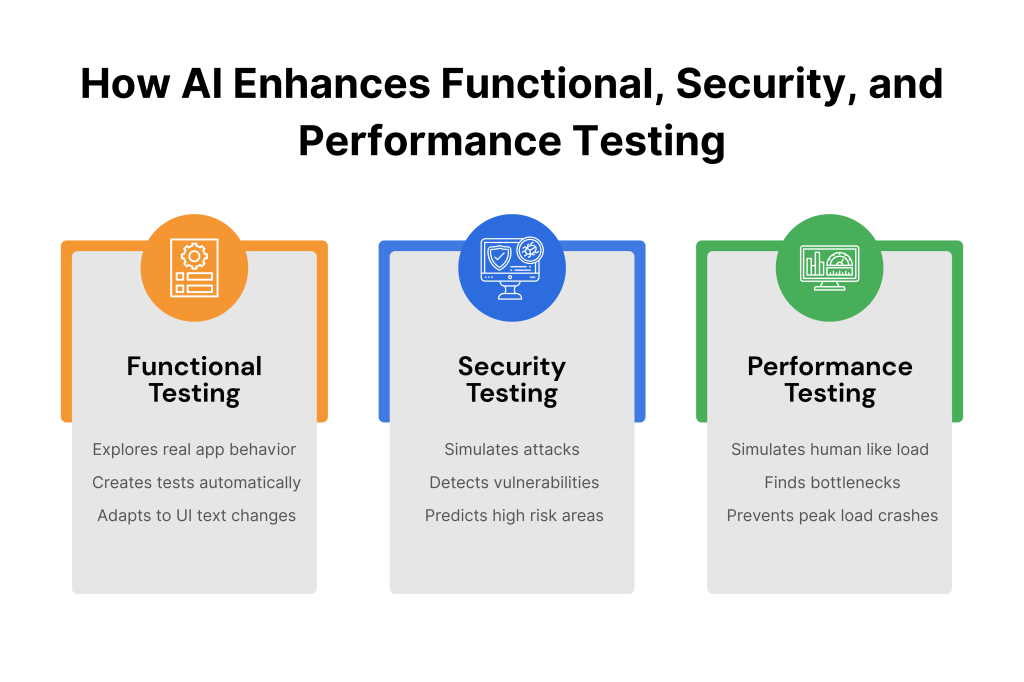
Functional Testing
This is the bread and butter of QA. Does the login work? Does the cart update?
AI agents can explore your app like a curious user. They don’t just follow a script; they try to “break” things by clicking in unexpected orders.
As mentioned earlier, if you change the “Submit” button to “Go,” traditional scripts fail. AI realizes it’s the same button and keeps the test running.
Security Testing
Security is often left for the end of the SDLC, which is risky.
AI can simulate cyberattacks faster than any human. It looks for vulnerabilities in code and predicts where breaches might happen. It is essentially an automated ethical hacker working 24/7.
Performance Testing
You need to know if your site crashes on Black Friday.
- The AI Advantage: Instead of providing static traffic, AI replicates human behavior, slow browsing, and fast clicking. It simulates “load” to assist you in finding bottlenecks before they crash production.
- Deep Dive: If you are running an online store, performance testing for e-commerce platforms is critical to keeping customers happy.
AI vs. Traditional Automation: A Paradigm Shift in Testing
It is easy to confuse the two, but the difference is massive.
| Feature | Traditional Automation | AI-Driven Testing |
| Maintenance | High (Scripts break often) | Low (Self-healing scripts) |
| Skill Level | High (Requires coding) | Medium (Requires logic/prompting) |
| Adaptability | Rigid (Fails if UI changes) | Flexible (Adapts to UI changes) |
| Analysis | Pass/Fail only | Root cause analysis & insights |
Pick your time and see how fast your workflow can move. Book a quick demo and watch Kualitee run live AI test generation and self-healing.
Top AI Test Automation Tools for 2025 and Their Key Features
The market is flooded, but here are the standout categories you should watch.
1. The “Copilot” Tools
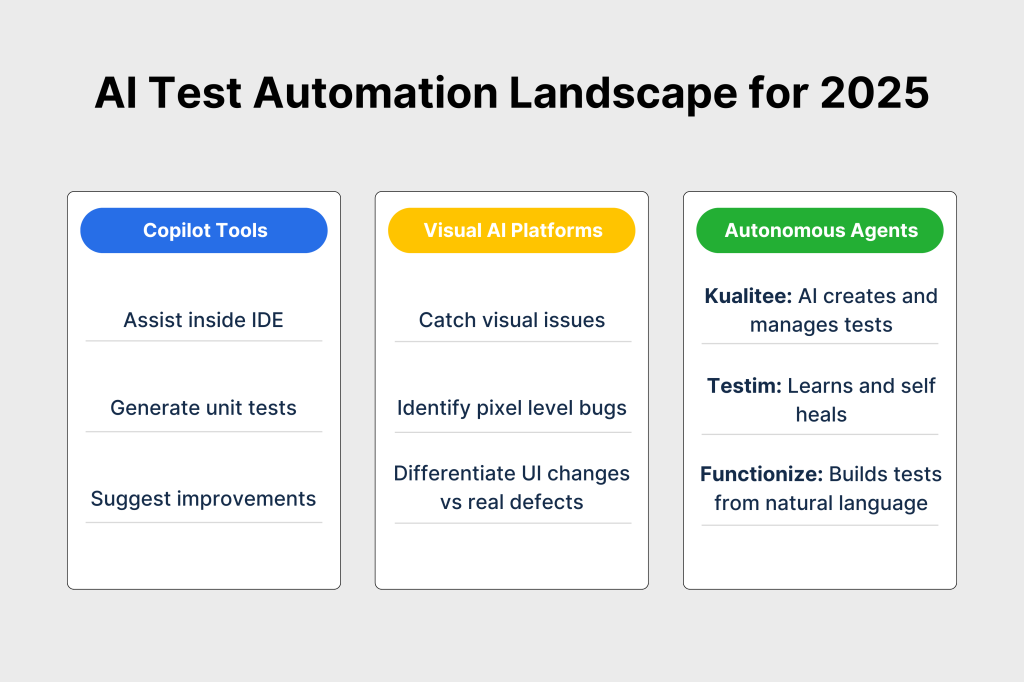
These sit inside your IDE (like VS Code) and write unit tests for developers. They suggest code snippets and catch syntax errors in real time.
2. Visual AI Platforms
Tools like Applitools use “Visual AI” to look at your app. They can tell the difference between a rendering bug (bad) and a dynamic ad (good).
3. End-to-End Autonomous Agents
Kualitee
Kualitee takes it a step further by managing the entire lifecycle. Hootie, its AI helper, does more than just run tests; it looks at the needs of your project and makes test cases for you automatically. It fills in the time between planning the test and running it.
Explore Kualitee’s full feature set, including Hootie, visual checks, and traceability.
Testim
Testim focuses on stability. Its AI learns how your application’s code structure changes over time. If a button moves or changes color, Testim finds it and “heals” the test automatically, so you stop wasting time fixing broken scripts.
Functionize
Functionize acts like a translator. You don’t need to know how to code. You just type simple directions, like “Log in and make sure the cart is empty.” The AI knows what you want and immediately makes a usable test script for you.
Integrating AI into the Software Development Lifecycle (SDLC)
You can’t just add AI to a bad process and hope for the best. You have to make sure it works well with everything else.
- Planning: Use AI to analyze requirements and generate a test plan.
- Design: AI generates test cases automatically based on user stories.
- Execution: Run suites overnight. AI prioritizes the tests that are most likely to fail based on recent code changes.
- Maintenance: As the app updates, the AI updates the tests.
Real-World Use Cases and Success Stories in AI-Driven Testing
The Healthcare App
A health tech company faced a challenge testing their user site with real medical data due to HIPAA regulations.
- The AI Solution: For “synthetic” data, generative AI created hundreds of phony patient profiles that looked like genuine individuals but didn’t include any sensitive information.
- The Result: They securely stress-tested everything and found weaknesses that only appeared with a lot of data.
The Banking Giant
A multinational bank’s regression tests used to take four full days, leaving engineers waiting nearly a week for feedback.
- The AI Solution: AI was used to do “Test Impact Analysis.” The AI looked at changes to the code and guessed that only 10% of the tests would be important for the update. It skipped the other 90%.
- The Result: It only took four hours to run, instead of four days. This meant that updates could happen every day instead of once a week.
The Fashion Retailer
A big online store missed out on sales because some iPhone models covered the price with the “Add to Cart” button. Traditional automation overlooked this problem since the button was still there.
- The AI Solution: They adopted Visual AI. Unlike standard tools that check code, Visual AI looks at the screen like a human. It instantly flagged that the pixel layout was wrong.
- The Result: Visual bugs were caught pre-release, protecting millions in revenue during their holiday sale.
The SaaS Platform
A rapidly growing CRM company had regular software updates that led to nightly crashes of automated test scripts, making testers spend half their time fixing issues.
- The AI Solution: They adopted AI self-healing. The AI updated the test script when developers altered a field ID based on location and context.
- The Result: QA could focus on new features instead of script maintenance because script maintenance time fell by 80%.
Future Trends and Predictions for AI in Software Testing
The market for AI in testing throughout the world is growing very quickly, and some projections say it might reach more than $10 billion by 2033. But where is all that cash going? This is what comes next.
Testing in Production (Shift-Right)
We used to think testing stopped when the code went live. Not anymore. AI agents now “live” in your production environment, monitoring real user behavior 24/7.
They find rare, edge-case problems like a cart crash on a slow 3G connection when a user has a certain item in their cart. The AI detects it immediately, frequently before a person reports it.
Voice and Multimodal Testing
As we talk to our devices more (Alexa, Siri, in-car systems), testing has to get louder.
AI is moving beyond clicking buttons. It is now testing voice recognition accuracy, natural language understanding, and even gestures.
Normal scripts can’t automate discussions. Dynamic interactions with AI bots may help your app grasp languages, slang, and context. This would enable speech features for everyone.
Autonomous Debugging
This is the game-changer developers have been waiting for.
AI won’t just tell you “Test #402 Failed.” It will say, “Test #402 Failed because of a null pointer exception in line 45. Here is the corrected code snippet to fix it.”
It closes the loop. Instead of just finding problems, AI becomes a partner in fixing them, drastically reducing the “mean time to resolution” (MTTR).
Conclusion
The future of software testing and artificial intelligence isn’t about robots taking over. It’s about liberation.
Don’t stress about fragile scripts anymore. It prevents you from repeatedly clicking the same button. It helps you focus on what people do best: think creatively, understand each other, and plan well.
Teams that adopt AI today will not only speed up testing but also create better software. The debate over “manual vs. automation” is over. The new reality is “people and AI.”
Don’t miss out on the AI revolution. Find out how Kualitee’s AI-powered capabilities can help you run your testing projects more smoothly.
Frequently Asked Questions about AI in Software Testing
How is AI used in software testing?
AI is typically used for repetitive or hard-to-scale jobs. Some common uses are:
- Test Generation: AI generates test cases from application code or user stories.
- Self-Healing: AI modifies the test script to avoid failure if a button ID changes.
- Visual validation: AI pixel-by-pixel evaluates pictures for UI issues that automation misses.
- Defect Prediction: It analyzes prior data to predict which software pieces may fail next.
Will AI take over software testing?
AI will alter software testing, not replace it. AI performs at “checking” (confirming system functionality) but suffers with “testing” (identifying new, unforeseen dangers).
Human intuition and empathy are lacking in AI. It cannot recognize “clunky” user flows or unclear material. It finds crashes but not product discontent. Future models combine AI and humans.
Can I use AI to do QA testing?
It becomes easier every day. Modern technologies enable “Natural Language Processing” (NLP) test authoring. Write “Click the login button” or “Check if the price is $50” instead of sophisticated code.
This allows manual testers and product managers without Java or Python to automate tests.
Is AI taking QA jobs?
Transfer tasks, not jobs. Testing “click-monkey” tasks that need eight hours of human repetition is over. Quality engineers must handle AI, evaluate data, and develop complicated test techniques.
Industry reports say AI will change QA jobs, not destroy them. Testing “copilots” who adjust to new technology is more useful.