Software development is changing quickly. Quality expectations are going up. People want perfect products. For many companies, testing is still a hassle.
Before, people made test cases by hand. It was detailed. It took a long time. Testers spent hours looking at a user story. They tried to write down what should happen in each case.
QA people do less manual work. They can explore more areas and see the bigger picture, not just make a list. This could help us speed up.
Using AI in testing makes software faster and more reliable.
This guide shows you how to do it. It looks that way at first. I’m not sure it includes everything yet.
Understanding the Software Testing Lifecycle
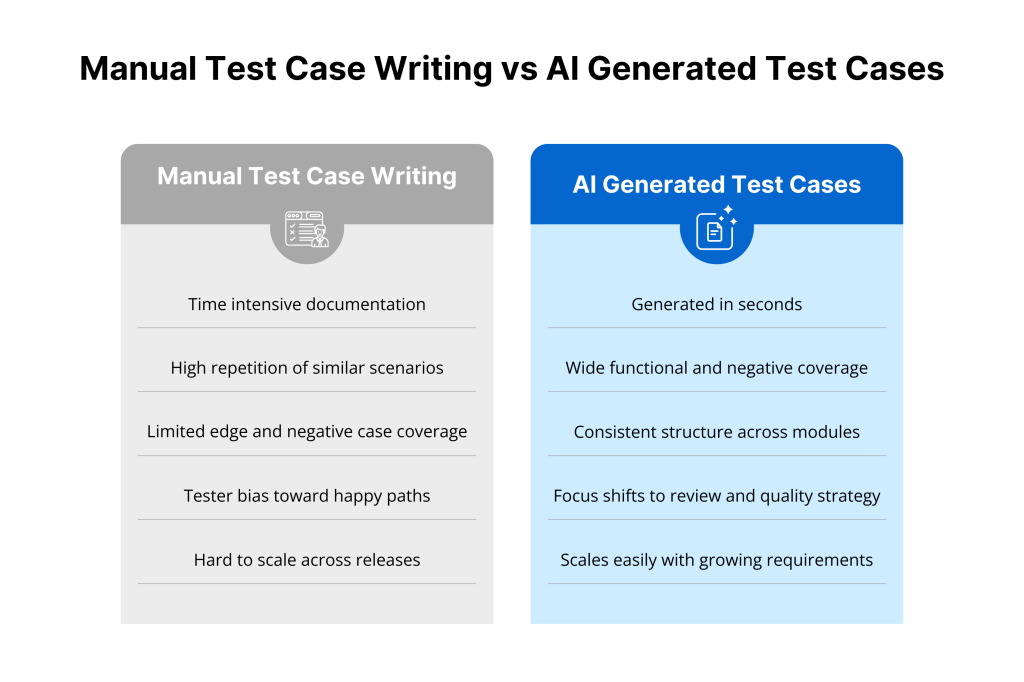
To use AI in software testing, it’s good to understand the STLC first. The Software Testing Lifecycle, or STLC, follows steps to ensure quality.
It’s a planned process. It’s a guide for testing. It has clear steps that cover everything. If we don’t see how AI fits in, things could go wrong.
Stages of Software Testing
The STLC has clear phases.
- Requirement Analysis: The first step. Testers find out what to test. They look at both functional and non-functional needs.
- Test Planning: Set the strategy. Gather resources. Create a timeline for testing.
- Test Case Development: Make scenarios. Gather data. Outline steps for validation. AI affects this stage the most.
- Prepare the test environment: Get the hardware and software ready for testing.
- Test Execution: Run the tests. Compare actual results to expected results. Document any bugs.
- Test Cycle Closure: Final report. Analyze metrics. Share lessons learned.
Role of Test Cases in Each Stage
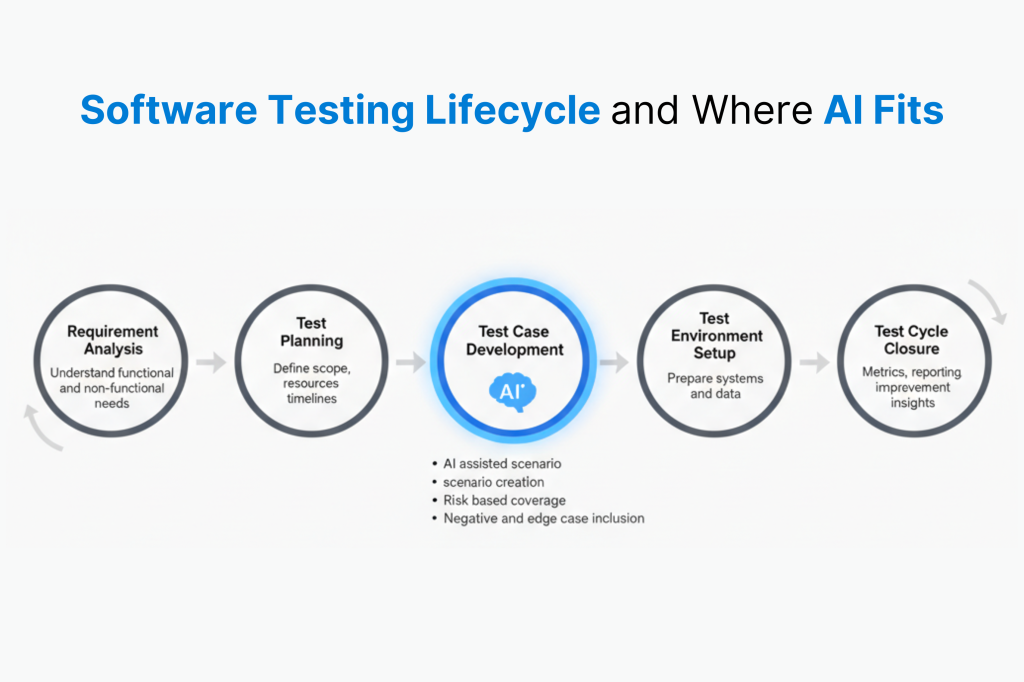
Manual test cases are key to the STLC process. They help a lot.
Developers receive a plan while they work. The test case ID and steps help us repeat and check things during execution. It’s always the same. It doesn’t matter who is testing. That part is clear. It ensures fair treatment for all.
Lots of teams want to automate test design. Writing all this documentation by hand is a big reason. It feels slow if not. With AI, you write less and check more.
AI and Automatic Test Case Generation
Switching from manual drafts to AI for test development is a big change. It moves from lots of paperwork to smart and quick processes.
Definition of AI Test Case Generation
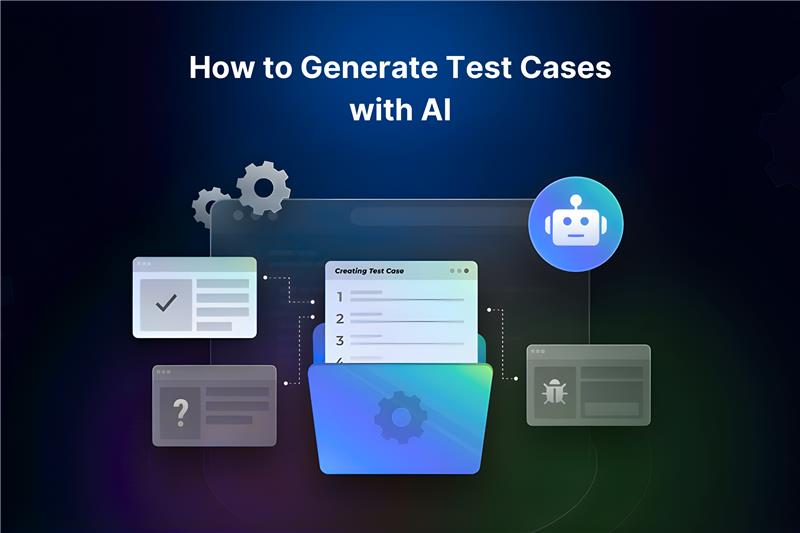
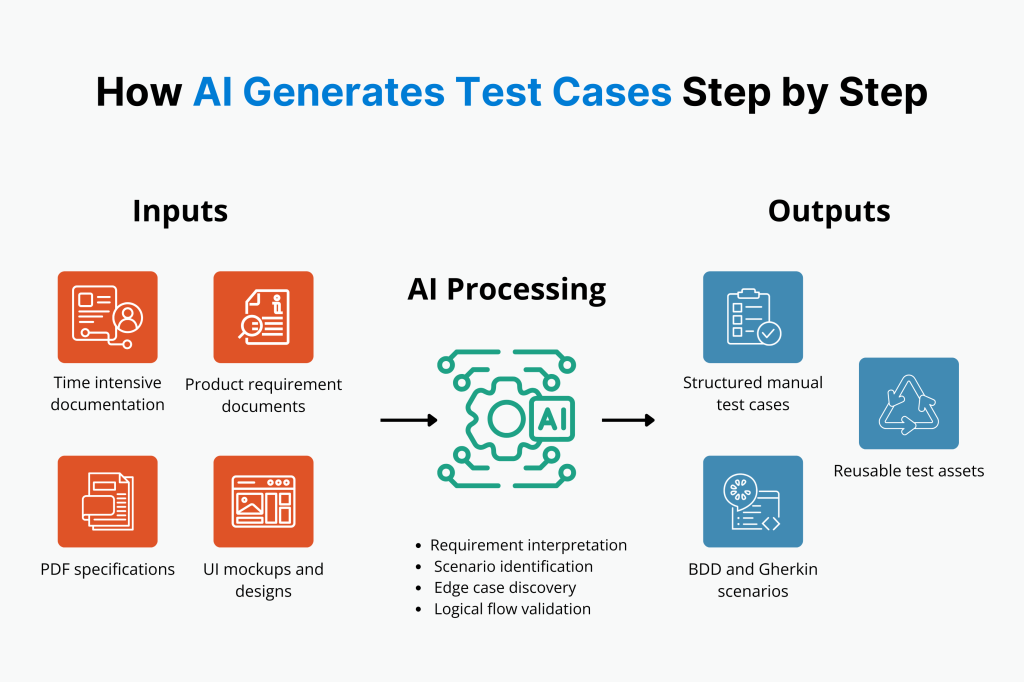
AI helps create test data. It uses Large Language Models. They get requirements from Jira, PDFs, or UI mockups.
Next, they make a test suite. AI-based test data generation knows what a feature means. It’s different from writing scripts based on real activity. It can give input that may not be included otherwise.
Advantages Over Manual Testing
Here are the benefits of AI in creating test cases
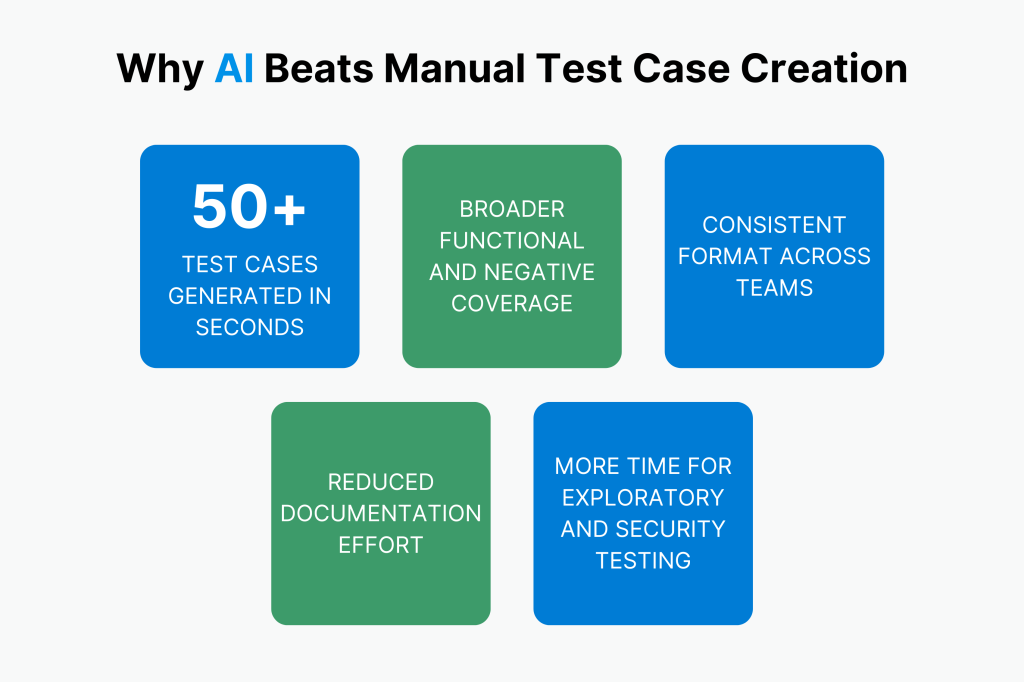
- Efficiency and Speed of Generation: AI can make more than 50 test cases in seconds. This often takes people hours to do.
- Adaptability and Learning Capabilities: Modern AI tools learn from your project and past results. They give better suggestions as time goes on.
- Breadth of Coverage: AI is good at spotting edge cases and negative scenarios. Human testers often miss these because they focus on positive outcomes.
- Consistency: Every AI case follows a set structure. This keeps all documents consistent across projects and modules.
- Less Manual Work: AI handles dull tasks. This helps testers focus on key tasks. They can do exploratory testing and security checks.
Key Features of AI Test Case Generators
Select an AI test case generator that has important features. They matter for business success.
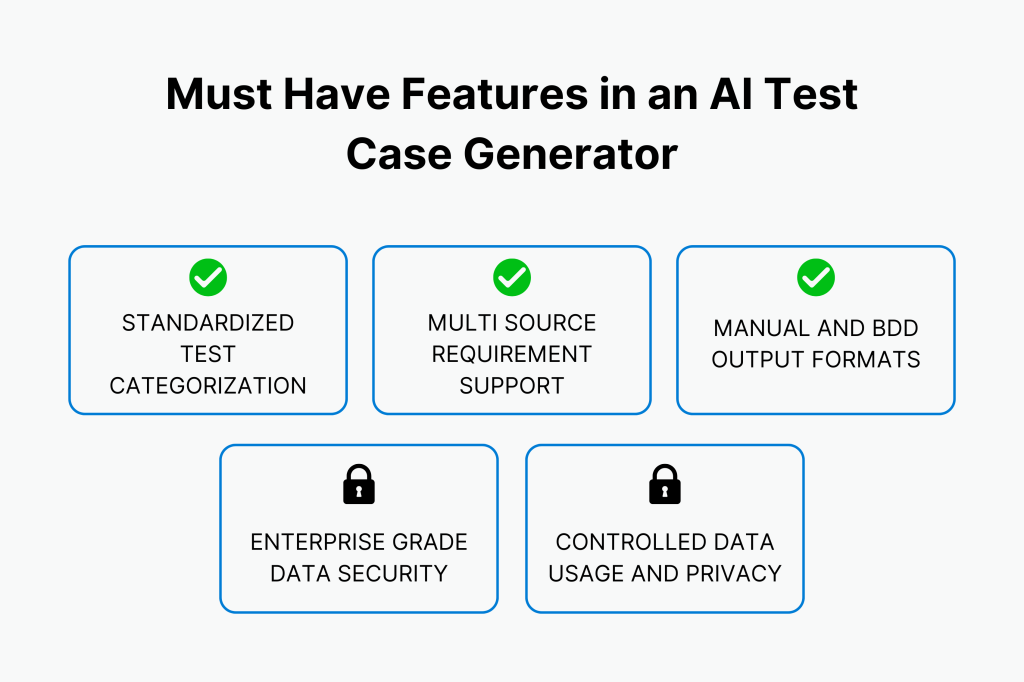
- Standardized Taxonomies
It’s easy to sort tests by risk. Rank them by their seriousness or importance as you create them. Start with the biggest problems.
- Support for Fragmented Requirements
Good tools meet different needs. They can gather data from various sources. It includes Jira tickets, PRDs, and Figma files. It works even if the documents aren’t complete.
- Format Flexibility
An AI generator should provide various output formats. It should use easy words for manual testers. It should support Gherkin syntax. This is for teams using BDD tools like Cucumber.
- Enterprise Security
Software requirements may contain sensitive info. We need tools to manage data clearly. No data storage that lasts. Don’t train public models with your data unless you have permission. This maintains safety at industry levels.
Generative AI Use Cases in Software Testing
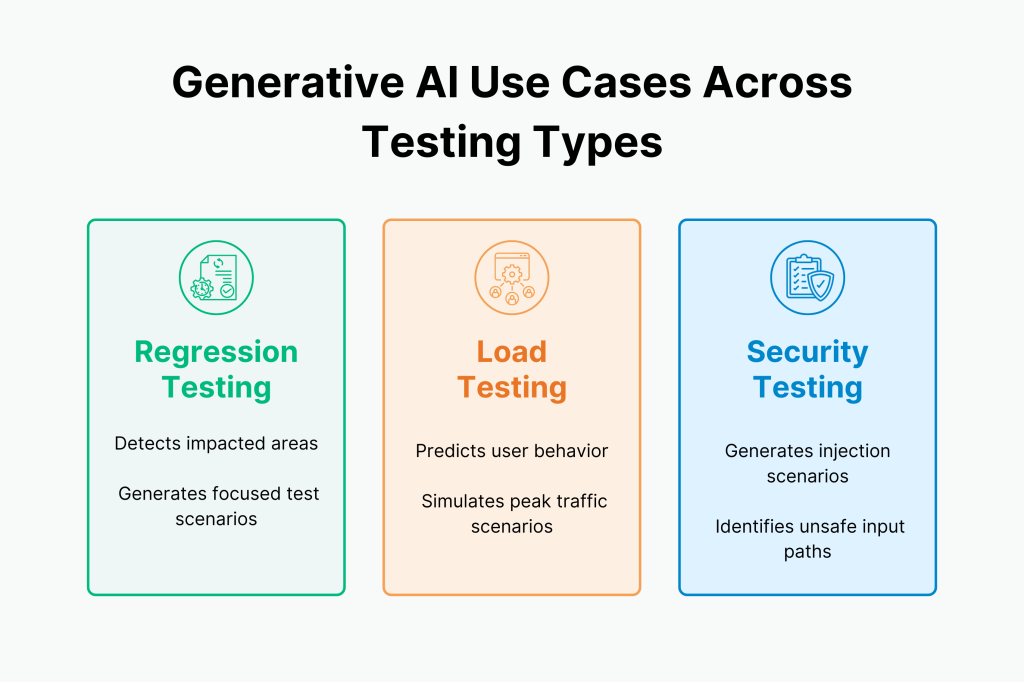
Generative AI is a useful tool. It can be used for many types of testing, not just basic functionality tests.
Use Case: Regression Testing
Regression testing takes a lot of time. Artificial intelligence looks at changes in code. It finds out which part of the app is affected. Then, it adds test cases for that part. This helps you avoid unnecessary test cases.
Use Case: Load Testing
The software can predict how many users will connect. It can also create scenarios to test heavy usage. Your app can handle high usage without needing to set each variable by hand.
Use Case: Security Testing
It’s easy to forget about security when focusing on test cases. AI can attack. It will find bad test cases. It covers SQL injection and cross-site scripting.
Selecting an AI Test Case Generator
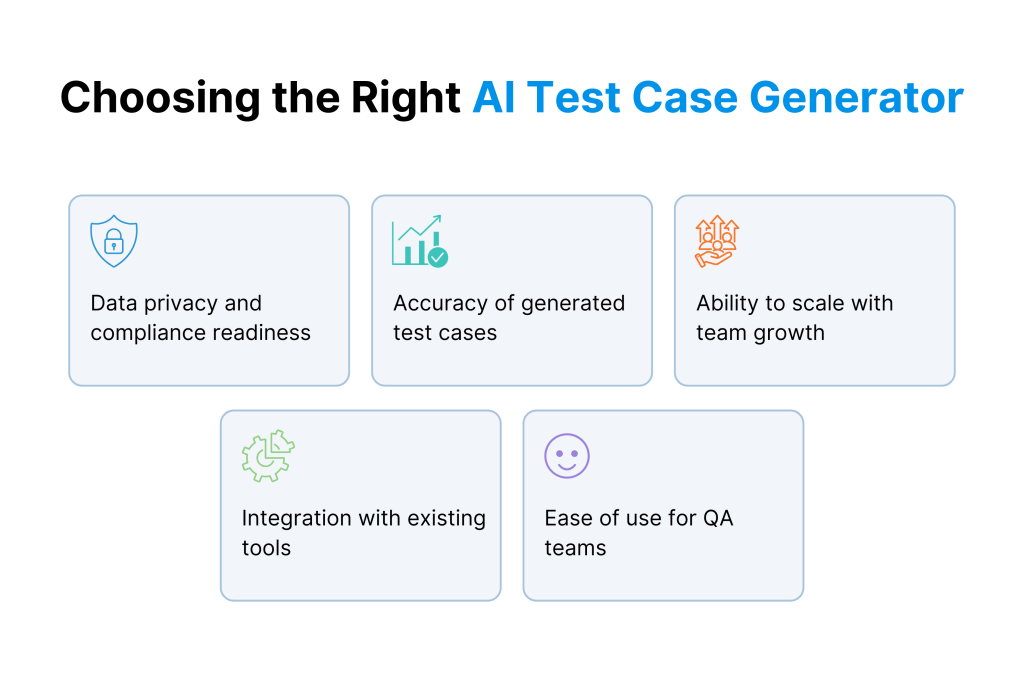
Selecting the proper tool is more than having the best AI. It is also a function of its appropriateness in your work.
Data Privacy & Training
Always ask if your private business info is used to train an AI model. An AI model that learns from your private needs to help others might cause a leak.
It’s best to use tools that follow industry standards like ISO 27001 or SOC 2.
Output Accuracy
AI output varies. Some let you make a draft that needs a lot of manual fixes. You need an AI that can create code ready for automation. This is especially true for Gherkin syntax. If your AI gives you clear steps for your automation script, you save hours of work.
Scalability
Scalability means handling more work as you grow your business. Can the tool handle hundreds of test cases from the team in the coming months? Will it still perform well? Scalable tools keep working well as your project grows.
Integration with Current Tools
A generator is useful only if it works with your current software tools. A testing task shouldn’t need too many windows to switch. It should be easy to complete everything.
Ease of Use
An intelligent AI is useless if it’s hard to use. You need a simple Quick Prompt or dialogue setup. This will help your team start making test cases with AI right away.
Popular Tools and Technologies
The AI-driven QA market offers tools that are easy to use. They integrate well with other tools.
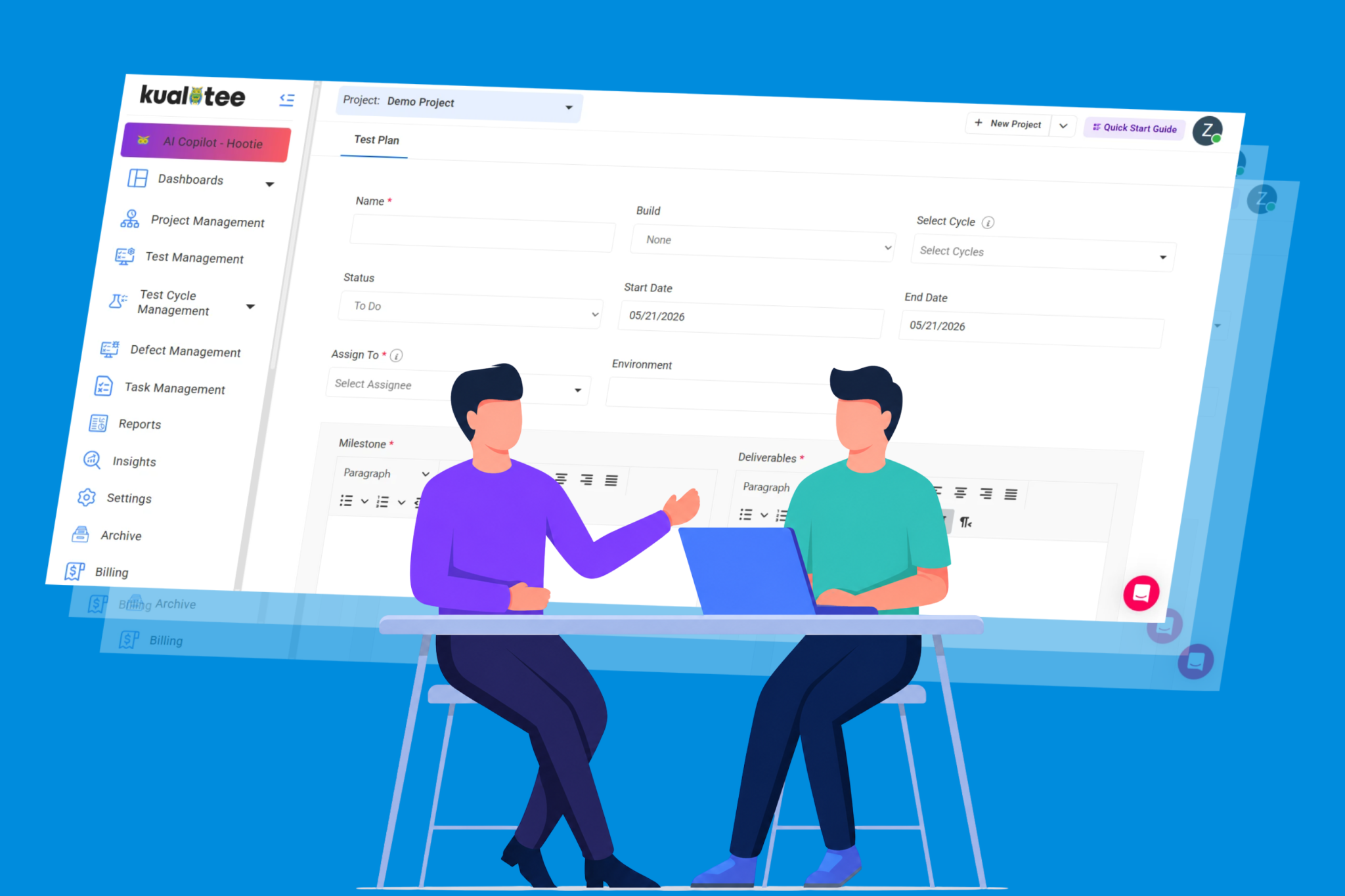
- Kualitee (Hootie AI): The tool features an AI Test Case Generator. It is designed to quickly turn a Jira ticket into a full test. It supports both manual test case formats and BDD (Gherkin) styles.
- BrowserStack AI: This platform provides straightforward technical help for testers. It allows you to create test cases with a single click directly from your project requirements.
- Copilot4DevOps: This tool specializes in building test cases even when you only have incomplete or “broken” information and Pull Request Documents (PRDs).
Streamline Automation Testing with Kualitee. Check it out today.
Implementing AI in Your Testing Process
To succeed with AI, you need a good plan for integration. It’s more than just plugging it in and using it.
Best Practices for Integration
- Context is important: Don’t let bad input lead to bad output. Give more details in your request. Show technical limits. Find out who the users are. This improves the output.
- Human-in-the-Loop: AI is a helper. It’s not a replacement. Human review builds trust. This is key for complex business rules or high-risk security situations.
- Use Direct Integrations: Use tools that connect to your project management suite. This keeps your data safe and accurate.
- Standardize Formats: Use AI to change requirements into Gherkin format. This helps your tests work with modern tools like Cucumber. Check out our blog for more on BDD Testing Frameworks.
Case Study: Successful AI Implementation
Many teams have shifted their QA role. They now focus on strategy instead of manual tasks.
Using agentic AI to automate scenario creation, these teams cut test case creation time by 80% and stayed compliant with ISO 27001.
This change helps them work better with modern CI/CD and DevOps. It makes sure testing matches development speed.
Common Issues When You Generate Test Cases with AI
- Handling Unclear Demands
A common issue is bad data leading to bad results. If your user story is too short or lacks details, the AI may make wrong guesses.
You can fix this by using a “refining prompt.” Ask the AI to find missing information in your request before it creates the test cases.
This step makes sure the final result is correct and meets quality standards.
- Managing AI mistakes
AI can sometimes make up features that aren’t in your software. Testers should think like reviewers. Check the test case ID and the main logic.
Make sure it fits your real-world testing process. No need to proofread every word. This makes your documentation dependable.
It also helps the AI cut down on manual work.
- Update Test Cases Regularly
Your software changes. So should your AI test cases. You don’t have to start over each time. You can use old test cases with the new requirements.
This helps the tool see what has changed. It updates only the relevant parts. This makes test management more efficient as your project grows.
Conclusion
Software testing will be smart in the future. Using AI helps teams. And it doens’t replace them. That narrative is false. Instead, it lets them become quality architects. QA teams can focus on strategy, not just on repetitive tasks.
The industry is quickly shifting to agentic AI. These autonomous agents can write tests, help run them, and fix scripts when the UI changes. This will reduce manual work. Teams can handle User Acceptance Testing (UAT) and other key tasks.
Furthermore, it is recommended to check your current workflow and find the steps where paperwork slows things down the most.
Once that’s done, experiment with prompts. Test how different input formats (User stories vs. PDFs) affect the quality of the expected result.
If you still find it difficult to get started with test case generation using AI, begin with a Free Trial of Kualitee to explore Hootie AI today. It will do most of the work for you.
FAQs
Does AI replace manual test case writing?
No. AI helps with most of the paperwork. But humans need to check it for accuracy and trust.
Can AI generate test cases in Gherkin/BDD format?
Sure. Modern AI tools can easily create “Given/When/Then” scenarios. These are ready for use in automation frameworks like Cucumber.
Is it safe to link my Jira tickets to an AI?
Yes, enterprise tools like Kualitee keep your data safe. They don’t use it to train public models.
How do I get the best results from an AI prompt?
Be specific. Share the user story. List any technical limits. State the expected result. This will help the AI understand better.
What are the limits of AI in testing?
AI is great for functional, regression, and load testing. But it needs human help for exploratory testing, complex business logic checks and security strategy.